
ERP software for independent thinkers - flexible, local, independent
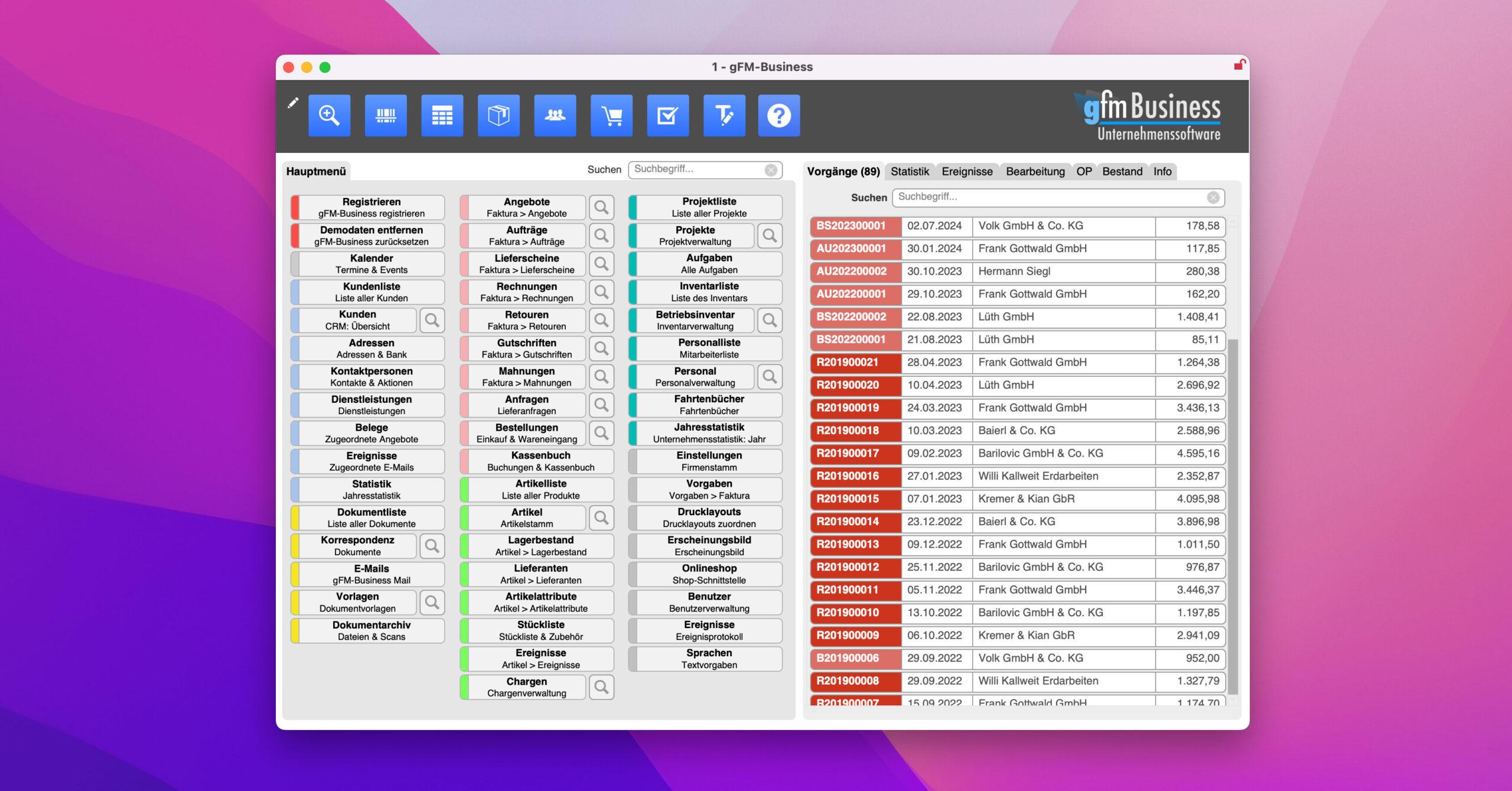
 The gFM-Business ERP software is a practical business software for all those who are not prepared to place their company data in some anonymous cloud - but want to determine how they work themselves. The solution is based on Claris FileMakera proven tool for individual software development, and is therefore as flexible as your company itself.
Whether you are a craft business, service provider or mail order company - gFM-Business adapts, not the other way around.
Three platform sizes - one thought:
Keep control
gFM-Business ERP is available in three expansion stages, which are specifically geared to the requirements of small and medium-sized companies:
1. open source (free of charge):
The ideal entry-level version with customer management, article master, simple billing (invoice & credit note) - directly usable as freeware and openly expandable with FileMaker. The software is also available as an extended OS Plus version, which can also create quotations, orders, delivery bills and reminders.
2. basic:
For growing requirements: Document creation from quotation to reminder, project management, time recording, dative export and interfaces to all common store systems (including WooCommerce, Shopware, Shopify, Gambio, Modified).
3. professional:
Our fully equipped version for companies with multiple clients, multi-shop interfaces, e-invoice formats (ZUGFeRD, XRechnung) and multilingualism - can also be used internationally.
Three license models - maximum adaptability
Different license forms are available for each version - depending on the desired degree of customization:
-
Standard license: Flexibly customize print layouts
-
Custom license: Design masks, fields and tables yourself
-
Open license: Complete FileMaker access as in an in-house development
This allows FileMaker users (or your development team) to tailor the software directly to their own requirements - with full control over all functions.
Pay once, use permanently
There are no monthly subscription traps with us. Every license is Purchase license available - at a one-off price. Maintenance contracts are not obligatoryUpdates can be purchased separately if required.
Your data belongs to you - period.
gFM-Business ERP saves all data locally at the customer - either on your own computer or on an in-house FileMaker server. No cloud, no dependency, no hidden server structures. This allows you to retain full control over your sensitive business data at all times.
Who is gFM-Business made for?
-
Small and medium-sized enterprises
-
Sole proprietors and freelancers
-
Agencies, dealers, service providers
-
All those who prefer to design rather than be patronized
If you are looking for an ERP solution that speaks your language - then you have come to the right place.
More information at gofilemaker.de
Frequently asked questions
- What exactly is gFM-Business - ERP, CRM or merchandise management?
gFM-Business is deliberately not just „a module“, but a FileMaker-based ERP platform that can be used as a CRM, merchandise management, billing/invoicing program, agency software or office software as required. The core is: you get a solution that can be adapted to your business processes - instead of the other way around. This is particularly practical for companies that don't want to be forced into a rigid standard system, but want to digitize processes cleanly step by step. - For which companies is gFM-Business intended?
Typically for small and medium-sized companies that are looking for a clear, customizable system - without the ballast of classic large-scale ERP implementations. The sensible use often begins where Excel lists, isolated solutions or a „grown“ process mix noticeably eats up time: quotations, orders, warehouse, delivery bills, invoices, customer communication, evaluations. At the same time, the platform is so scalable that it can grow with the company - from a single workstation to a workgroup. - On which systems does the software run?
gFM-Business is cross-platform and can be used on macOS, Windows and iOS (iPad). This is particularly interesting for teams that work in a mixed environment or want to access data on the move. In many companies, this is a real advantage because you don't have to standardize the entire hardware world just to be able to operate an ERP. - Which version suits me: Open Source, OS-Plus, Basic or Professional?
The software is available in several expansion stages so that you don't have to go „too big“:
- gFM-Business Open Sourcefree entry with CRM, addresses, article/warehouse (1 warehouse), invoices/credit notes plus developer module (documentation of tables/fields/scripts) - ideal for taking a look or as a basis for customizations.
- gFM-Business OS-PlusOpen Source has been expanded to include time recording/services and additional document types including conversion logic (order → delivery bill → invoice etc.).
- gFM-Business BasicFor many SMEs, the „classic“ start with more CRM/correspondence/cashbook/project and store functions.
- gFM-Business Professionalfor more demanding processes (e.g. several clients, storage locations, languages system-wide, variants, parts lists/batches, ticket system, several online stores in parallel). - What does „open license“ mean - and when do I need it?
The open license is intended for companies (or FileMaker partners) who want to extensively adapt and expand gFM-Business themselves - with full administration rights in FileMaker. The advantage: processes can be adapted during operation if the market, product range, team or internal processes change. This is typical for businesses that want individual software on a stable basis in the long term instead of changing the system every few years. Note from the side: FileMaker Pro Advanced is required for the open license. - Do I have to own Claris FileMaker to use gFM-Business?
Yes, a Claris FileMaker Pro license is required for single workstation operation. If several workstations are used via peer-to-peer sharing, an additional Claris FileMaker Pro license is required for each workstation. The use of FileMaker Server is recommended for five or more users in the network. - Can I map quotations, orders, delivery bills, invoices, credit notes and reminders?
Yes - gFM-Business is designed precisely for this classic „office machine room“: from quotation to invoice, including follow-up documents. It is particularly practical when conversions are automated (e.g. order → delivery bill → invoice), because this reduces errors and saves time - especially with recurring processes or store imports. - Does gFM-Business support electronic invoices (e.g. ZUGFeRD)?
Yes - gFM-Business Professional includes support for electronic invoices in accordance with ZUGFeRD and Factur-X as well as Swiss-QR; PDFs with embedded e-invoice information are generated. This is particularly important because e-invoice requirements are increasing and companies prefer to set up cleanly at an early stage instead of frantically retrofitting later. - How does multilingualism work - surface and print?
The software is prepared for multilingualism throughout the system. According to the product page, Light/Professional includes German, English and French, for example, and the language can be changed per user - including labels, dialogs and selection/value lists. Important for practical use: Print layouts are also available in all available languages and texts can be adapted/extended. - Can I manage multiple companies/clients and multiple storage locations?
If you want to map several legal entities, branches or company divisions in one system, this is typically a professional topic: according to the site, several clients and storage locations are supported, including extended article and warehouse logic. For growing companies, this is a classic point at which you move from „simple merchandise management“ to „real ERP“. - Are there product variants, properties, parts lists and batches?
Yes - for Professional, product variants, price-relevant properties, parts lists and batch management are mentioned. These are precisely the functions that many systems sell as expensive „on top“ - but in practice are quickly indispensable for product ranges with variants (size/color/material) or for production/assembly. - How suitable is gFM-Business for online stores?
gFM-Business Basic and Professional contain an online store interface (Basic for one store; examples include Shopware, WooCommerce, Gambio, Modified) and in Professional also several parallel stores - even in mixed operation of different store systems. According to the description, the open license also allows the interface to be adapted to individual requirements or extended to other REST-capable stores. - What is „gFM-Business 7.0 goes AI“ all about?
The page describes that gFM-Business 7.0 in Light and Professional includes OpenAI/ChatGPT integration for the first time to generate AI documents and AI texts in the ERP software. The practical benefit is usually not a „gimmick“, but everyday text work: templates, formulations, standard texts, internal notes - where teams would otherwise lose time or become inconsistent. - How customizable are print layouts - and how quickly can this be done?
A strong point is the integrated printing system: print layouts can be edited or newly created in FileMaker layout mode, just like in a text/DTP environment. New layouts are assigned to a program section and are then immediately available. This is classic „FileMaker thinking“: it is better to adapt pragmatically instead of waiting years for manufacturer roadmaps. - Which interfaces/exports are possible (CSV, Excel, DATEV etc.)?
gFM-Business includes various formats for imports/exports (including text/tab, CSV, Excel, FileMaker, DBF; plus Office merge/serial letter paths). Depending on the module, the page also lists additional exports such as DATEV (in the cashbook context) and other financial/payment formats on subpages. For many companies, this is precisely what is crucial: you remain capable of acting because data can be exported and imported - even without „monster integration“. - Can I send and assign e-mails directly from the system?
Yes - according to the product page, there is an integrated e-mail client (POP3/IMAP). E-mails from known addresses can be automatically assigned to contacts. Practical effect: less „mailbox chaos“ and more customer history in one place - just like you used to have it neatly in file folders, only digital and searchable. - How does the team work - locally, in a network or via the Internet?
Typical usage scenarios are described for gFM-Business: in the local network (e.g. FileMaker Pro/Server, access from outside via VPN) or as a share via the Internet (web server + FileMaker Server or gFM-Business Cloud). This is important because it leaves you several options - depending on whether you prefer to work in the classic office network or across different locations. - What is the best way to get started - test, information, first sensible step?
The conservatively smart way is: first collect requirements, then select version, then start with a clear pilot process (e.g. article/warehouse + documents + 1-2 standard prints). gofilemaker.de provides access to the various platforms/versions as well as downloads/info. Many companies save the most when they don't do everything „perfectly“ at once, but instead build up the software step by step in the same way that processes have traditionally grown - only this time cleanly documented and stably automated.