
The things you experience when you simply want to send an e-mail with Mac OS X 10.10 "Yosemite" in a foreign WLAN! For example, that it doesn't work with any of the SMTP servers set up, even though sending emails on the home network is completely problem-free. Even more puzzling was the fact that another MacBook Pro under Mac OS X 10.8 "Mountain Lion" was able to send e-mails without any problems. This ruled out a problem with the firewall, and despite 25 years of IT experience, I stood there like an ox in front of a mountain. When the answer to my question as to which DSL provider I was using was Telekom, it dawned on me that the problem would most likely be here, because everything was always a bit different with T-Online...
So I used the well-known search engine and actually came across a problem that probably occurs in connection with the Telekom router "Speedport W 724V". The first entries were from 2011, but I already know from experience that the "Telekom people" are not always the fastest when it comes to troubleshooting. A quick check revealed that the Speedport W 724V is actually being used in that network. By default, this router blocks the sending of e-mails via numerous providers, allegedly to prevent the sending of spam mails. For this purpose, the router has a list of "secure e-mail servers", which will presumably only contain large and well-known providers such as T-Online, Freenet, GMX or similar. All other SMTP mail servers are simply blocked by routers of this type, resulting in a timeout error when sending an e-mail. Incidentally, iCloud addresses from Apple are also not on the list of secure email servers and no emails can be sent via these either.
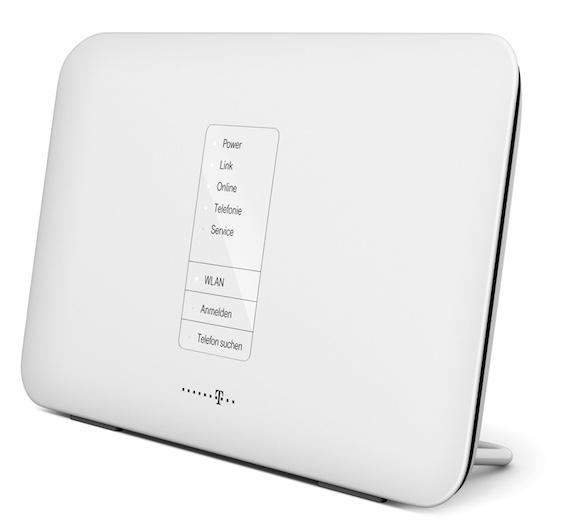
Unfortunately, Telekom has apparently not yet solved this problem, for example by expanding the "list of secure e-mail servers" or making this function more user-friendly. Fortunately, however, there is a solution to the problem:
- Log in to the Speedport W 724V router with the appropriate password. The IP address is 192.168.2.1 by default.
- Now click on the "Internet" symbol.
- Then do NOT click on [Next], but on [Cancel], which will take you to the configuration view.
- Select "Use list of secure e-mail servers" on the left-hand side.
- Deactivate this function by unchecking the corresponding box.
- Log out of the Speedport W 724V router again.
From now on, you should be able to send emails via any email provider without any problems. I have not checked why the other MacBook Pro under Mac OS X 10.8 "Mountain Lion" was still able to send e-mails. However, I suspect that it is not due to the operating system, but that the e-mail provider "Freenet", which was set up on the device, was in the router's list of secure e-mail servers and was therefore not blocked.

Well, I'll leave a comment for that.
I have had the same problem for several weeks with the Speedport W724 V.
The great thing is that everything works from the PC, mails can be sent and received.
However, not from the Android smartphone, although the same WLAN (only have one).
The best thing about the telecom box is that with the current firmware (05011603.00.002) which I installed yesterday, even the check mark in the config of the spaaeport is ignored (list of secure email servers). Regardless of whether the check mark is in or not, nothing works with Android, with PC perfectly, even from several PCs.
I have now found a mail app with which everything works without problems, with K9 everything works, I find that strange.
But I don't necessarily want to use it, I don't want to be dependent on any software.
As soon as I have time, I'll hook up a proxy here to see what's going on, because there are clearly email clients that get through and some that don't.
In any case, congratulations to the Speedport, because it seems to be the only router that can't cope with everything.
If anyone notices anything....?
Hello everyone,
6 days ago, after switching providers, I got the Telekom connection (complete package telephony, Internet and Home Entertain) with the aforementioned Speedport W724V and yesterday evening, after returning from a business trip, I wondered why all e-mails (from the iPad and Mac with Apple mail accounts and Alice/O2 too) had not been sent since the changeover, but were stuck in the outbox folder. After several hours of searching and trial and error, I found the checkmark in the settings and deactivated it. All attempts to enter the SMTP server address of Apple (smtp.me.com and all conceivable variants) and the list of secure e-mail servers did not help. I should have googled right away, it would have saved me a lot of time. The current install firmware is version 01011603.00.00. At least it works here to remove the checkmark and it is also processed accordingly by the firmware.
Best regards
just helped a customer for 2 hours to find the error. every time you think telekom can't get any stupider, they surprise you with something inane, like this nightmare of userdrangsulierung.
i don't even want to know how many hours of time are wasted here by implementing an absolutely half-baked spam solution without the consent of the users.
it would make sense to limit the sending of emails from unauthenticated email servers to around 200 emails a day, as this only annoys the users, as it is assumed that a trojan has infected the computer, which is then used to send spam mails.
Hello everyone,
I had the same problem today with MAC OS X and a non-standard SMTP server after switching from Speedport Hybrid Router to Speedport W 724V.
However, you do not have to deactivate the list, you can add the desired SMTP server to it.
To do this, open the "List of permitted e-mail servers" and enter the URL or IP address of the SMTP server (copied from the account information in the mail program) under "Enter additional e-mail server" and save.
Maybe that didn't work before, but at least it works now. It's just annoying that Telekom doesn't point this out - they just say "it all works automatically".
Greetings, Manu