
If you regularly work with an AI, then you probably know this: one thought leads to the next. You ask a question, get an answer, reformulate, develop an idea further. A short question suddenly turns into a longer dialog. Sometimes it even leads to entire projects.
But most of these conversations disappear again. They lie somewhere in the chat list, slide down and are forgotten over time. This is precisely one of the great features of modern AI systems: While previous conversations with colleagues, friends or advisors only existed in our memories, AI dialogs are completely preserved.
This means something crucial: With every conversation, a digital archive of your thinking is created. This is the first part of a small series of articles that will allow you to export your chat history from ChatGPT and use it effectively as a personal treasure trove of knowledge with your local AI system.




Many people use ChatGPT or other AI systems as a kind of intelligent search engine. But if you take a closer look, you quickly realize that something else is emerging here. AI is not just a tool, but increasingly a conversation partner for ideas, analysis, problem solving and reflection.
Over weeks, months or even years, an enormous amount of knowledge accumulates - personal thoughts, strategies, arguments and solutions. All of this is hidden in the chat histories.
And this is where a function comes into play that surprisingly few users know about or actively use: the data export. With just a few clicks, you can download your entire chat history. What you get is more than just a collection of old conversations. It is a kind of digital diary of your own thoughts - structured, searchable and available for long-term use.
Anyone who takes this step will quickly realize that their own AI conversations are not just a fleeting dialogue. They can become a real archive of knowledge.
AI conversations as a new digital memory
Just a few years ago, digital tools were mainly used to find information. You searched for something in a search engine, read a few results and then went back to your actual work.
Modern AI systems have changed this pattern. Instead of just looking for information, many people now have conversations with an AI. They discuss ideas, examine arguments, have complex topics explained to them or develop strategies. In many cases, the AI becomes a kind of sparring partner for their own thinking.
The special thing about it is the dialog. A search engine delivers a list of results. An AI, on the other hand, reacts to your thoughts. It answers questions, makes connections and can open up new perspectives.
This creates something that was previously only possible in conversation with other people: a thought process in dialog. Many authors now use AI for brainstorming sessions. Entrepreneurs discuss strategic decisions. Developers analyze technical problems. And AI is also increasingly being used for personal reflection - for example, to structure thoughts or develop new ideas.
All these conversations have one thing in common: they remain saved. And this creates an archive that is far more than just a collection of answers.
What really happens in AI dialogs
Anyone who consciously goes through their chat histories will quickly discover an astonishing pattern. The conversations often contain far more than just individual questions and answers. In many cases, they give rise to:
- new ideas
- Solutions for problems
- structured argumentation
- Strategies for projects
- Summaries of complex topics
With longer dialogs in particular, you can often see how an idea has developed. An initial idea is formulated, then questioned, then expanded and finally brought into a concrete structure.
This is very reminiscent of classic thought processes that may have been recorded in notebooks in the past. The difference is that the dialog with the AI actively accompanies this process. The machine makes connections, suggests new perspectives or helps to formulate thoughts more clearly. This creates a kind of digital collection of thoughts step by step.
Many users don't even notice this at first. The conversations seem spontaneous and fleeting. But when you look at older conversations later, you often realize how many ideas have already been created there. Sometimes you even find thoughts that you had long forgotten.
Why these conversations are valuable in the long term
The real value of AI conversations often only becomes apparent over time. A single dialog may only answer a small question. But if you work with an AI on a regular basis, a large collection of conversations is created over a period of months. These conversations not only document individual answers, but also the development of ideas.
Perhaps you once formulated an initial article idea. A few weeks later, you have developed it further. Months later, it finally becomes a finished project. In traditional work processes, many of these intermediate steps are lost. Ideas arise, are discussed and then disappear again.
With AI conversations, on the other hand, everything is retained. This creates a kind of working journal of your own thinking. You can understand how an idea came about, which arguments you examined and which solutions you ultimately chose. This can be particularly valuable for authors, entrepreneurs or developers.
Because many projects are not created in a single moment of inspiration. They grow slowly - through many small steps. And it is precisely these steps that are documented in AI dialogs. If you systematically save and evaluate these conversations, you can create something that was previously difficult to do: a long-term archive of your own thinking.
The hidden export function of ChatGPT
Many users work with AI systems on a daily basis. They ask questions, develop ideas, write texts or analyze complex topics. But only a few know that all these conversations are not only saved - but can also be exported in full.
This option seems inconspicuous at first glance. It is usually somewhat hidden in the account settings. But once you use it, you quickly realize that it is a tool with far greater potential than you might initially expect. This is because data export transforms fleeting conversations into a permanently usable archive.
Where the data export is located in ChatGPT
The export function is one of the basic functions of many modern online services. It is also available with ChatGPT, although it is hardly used in everyday life. It is accessed via the account settings. There you will find a section for data protection or data management. In this section, you can request an export of your own data.

How to Export Chat GPT Conversations | Tactiq
The process is relatively simple. Once the export has been started, the system creates a data package with the saved information. You will then receive an e-mail with a download link. The archive can be downloaded via this link.
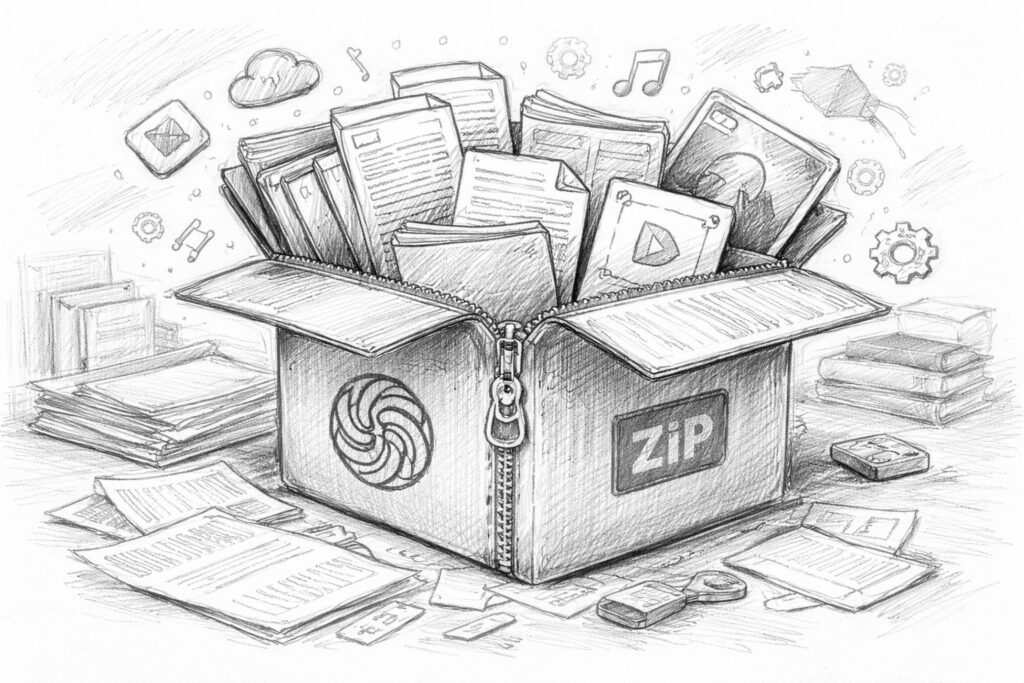
The entire process usually only takes a few minutes to a few hours, depending on how much data is available. The result is usually a ZIP file containing all the exported content. As I have been working intensively with ChatGPT since 2023, the export process took me several days.
It can therefore take some time for the e-mail to be delivered after the data export has been started.
For many users, this is exactly where the process ends. They download the file, perhaps take a quick look at it - and then leave it on their hard disk. But this is actually where the interesting part begins.
What actually happens during export
When you request a data export, the system collects all saved content associated with your account. This includes chat histories in particular. Every dialog, every question and every answer is saved in a structured form. This creates a comprehensive collection of your own conversations with the AI.
Depending on how intensively you have used the system, this archive can be surprisingly large. If you work regularly with AI over a period of months, you can quickly end up with a data package of several hundred megabytes or even several gigabytes. In addition to the actual chat histories, other content may also be included, such as
- Information about the structure of the discussions
- Timestamp of individual messages
- Metadata for use
- possibly also media content such as audio recordings or images
All this information is stored in a structured form. This means that it is not only available as simple text files, but in data formats that can also be processed by machine.
The result is something that at first glance looks like a technical archive - but can actually be a very valuable basis for your own knowledge systems.
Why this function is rarely used
Despite its potential, the export function remains practically invisible to many users. There are several reasons for this.
The first reason is simply ignorance. Many people don't even know that this possibility exists. They only use AI in everyday conversation and don't think about the fact that their data can be permanently stored and exported.
A second reason lies in the perception of the data itself. When you open a ZIP file with numerous files and technical formats, it doesn't seem very inviting at first. The structure appears complicated and difficult to understand.
For someone without a technical background, this quickly looks like a pure data archive that could only be of interest to developers.
A third reason is habit. Many users still use AI like a search engine. You ask a question, get an answer - and move on to the next topic.
In this usage pattern, it seems to make little sense to archive old conversations. But this is precisely where the mistake lies. Because anyone who regularly uses AI for ideas, analyses or creative processes automatically generates a large collection of their own thoughts. These thoughts are not simply questions to a machine. They are part of a personal thought process.
And as soon as you export this process, you suddenly realize how much knowledge has already been accumulated in it. Data export is therefore far more than just a technical function. It is the first step in turning fleeting AI dialogs into a permanently usable knowledge archive.
What the ChatGPT export really is
Anyone downloading the data export for the first time and opening the ZIP file often experiences a small moment of surprise. The file does not just contain a text file with a few chat histories. Instead, you will find a whole collection of different files and folders.
At first glance, this seems more technical than exciting. JSON files, structured data, some media content - for many users, this initially looks like a pure archive that could only be of interest to developers.
But if you take a closer look at this data, you quickly realize what is actually here: a structured collection of your own conversations with the AI. And it is precisely this structure that is the key to being able to process this data in a meaningful way later on.
Structure of the export package
The ChatGPT export is usually provided as a compressed archive. This is usually a ZIP file that can be unpacked after downloading. The unzipped folder then contains a number of different files and subfolders. These typically include
- Files with the chat histories
- Structured data files
- possibly media content
- Supplementary metadata
JSON files are often particularly noticeable. This file format is frequently used in software development because it is easy to structure and can be processed automatically. For a normal reader, such a file initially appears somewhat unfamiliar. It does not contain classic paragraphs like a document, but structured data fields.
But that is precisely what makes these files so valuable. They are not only readable by humans, but can also be easily interpreted by programs and AI systems. In other words, the data is structured in such a way that it can be easily analyzed or integrated into other systems at a later date.
The structure of the chat histories
If you take a closer look at one of these files, you can quickly see how an AI dialog is structured internally. A conversation does not simply consist of a long text. Instead, each message is saved individually. Typically, a dialog contains several elements:
- the original user question
- the answer of the AI
- Possibly further queries
- Additional answers or extensions
Each of these messages has its own information, such as a time stamp or an identification of the sender. This creates a clearly structured sequence of dialog contributions. The system always knows which message came from you and which was generated by the AI.
This structure is particularly important if you want to analyze larger amounts of data later on. This is because it makes it possible to logically reconstruct conversations. For example, a system can recognize
- which questions were asked
- what answers followed
- how a conversation has developed over the course of time
This means that even very large chat archives can still be analyzed in a meaningful way.
More than just text
Another interesting point often only becomes apparent at second glance: the data export does not only contain pure text dialogs. Depending on how it is used, other content may also be stored. This includes, for example
- Audio recordings if voice functions were used
- Images generated or uploaded in conversations
- Metadata containing additional information about usage
This metadata plays a particularly important role for technical applications. For example, they contain information on times, conversation structures or other properties of the dialogs.
For the normal reader, this information may be less exciting at first. However, it can be extremely helpful for software or AI systems. This is because they make it possible to systematically search, sort or analyze large volumes of conversations later on.
This means that the export not only provides a collection of old calls. It provides a structured database that can later be used to develop very different applications.
From simple archive solutions to complex AI systems that can draw on this knowledge. And this is precisely why it is worth taking a closer look at this seemingly technical data export. Because the many files actually conceal an astonishingly comprehensive archive of our own thoughts and conversations.
What's in the ChatGPT data export and what it can be useful for
| Part of the export | What it contains | Possible practical benefits |
|---|---|---|
| Chat histories | Questions, answers, queries and longer dialogs with the AI | Rediscovering old ideas, arguments, designs and solutions to problems |
| Timestamp | Information on when individual conversations or messages originated | Understanding the development of ideas and projects over time |
| Structure files | Technically structured data, usually in JSON form, with organized conversation content | Basis for later evaluation, search or integration into own systems |
| Audio content | Voice recordings or voice-related content, if voice functions were used | Additional documentation of own thoughts and work processes |
| Image content | Uploaded or generated images, depending on use | Expansion of the archive to include visual work statuses or creative designs |
| Metadata | Accompanying information on the structure, assignment and properties of individual contents | Helpful for sorting, filtering and further technical processing |
Why this data can be a real treasure trove of knowledge
When you open your own ChatGPT export for the first time, the whole thing initially looks more technical than inspiring. Lots of files, structured data, long chat logs - at first glance, it looks like a pure archive.
But if you take a step back and realize what this data actually contains, your perspective changes. Because these conversations don't just contain information. They contain your own thinking.
Ideas, arguments, strategies, spontaneous ideas, solutions to problems - all of this accumulates over weeks and months in dialogs with the AI. While individual conversations may seem inconspicuous, an astonishingly large collection of personal thoughts is created over time.
And that is precisely why this data can become a real treasure trove of knowledge.
An archive of your own ideas
Many good ideas are not created at the push of a button. They develop step by step. Sometimes it all starts with a simple question. An initial sketch of a thought emerges from this. Then comes a question, perhaps an objection, a new perspective. Bit by bit, a vague idea becomes a clearer concept.
This is exactly the process that takes place in many AI conversations. Anyone who regularly works with an AI often uses it for brainstorming, structuring or analysis. New projects are discussed, article ideas are developed, problems are played through.
AI serves as a kind of thinking partner that helps to sort and develop thoughts. But while you may only be focusing on the current dialog, an ever-increasing number of ideas are accumulating in the background. Many of these later disappear from consciousness - not because they were bad, but because new topics are added. However, they remain in the data export.
This means that, over time, an archive of your own ideas is created that goes far beyond individual notes. It contains complete trains of thought, arguments and development processes.
Current survey on the use of local AI systems
A chronological thought log
Another fascinating aspect of this data is its temporal structure. Every message in the chat history contains a timestamp. This makes it possible to trace exactly when a conversation took place and how a thought developed.
In a way, this creates a chronological record of your own thinking. You can see it later:
- when an idea first appeared
- how it has developed over the course of several conversations
- what questions were asked
- which solutions were finally developed
In traditional work processes, this process is often invisible. Notes are changed, documents are overwritten, intermediate steps disappear.
In AI conversations, on the other hand, the entire dialog is retained. This gives you a rare glimpse into your own thought process. You not only recognize the result of an idea, but also the path to it. This can be extremely valuable, especially for creative work or strategic planning. After all, many insights do not arise suddenly, but from a series of small considerations. And it is precisely these considerations that are documented in the dialogs.
Rediscovering old ideas
Perhaps you know the feeling: you suddenly remember an idea you had at some point - but you can't remember exactly when or in what context. Such thoughts often get lost in everyday life. New projects, new tasks and new information override older ideas.
However, these ideas can reappear in a large collection of AI conversations. If you look through older dialogs or search specifically for certain topics, you often discover surprising things. An idea that was only a side note at the time can suddenly become relevant again.
Sometimes you even recognize connections between conversations that took place months apart. An early idea from an older dialog suddenly fits perfectly with a new project. An old analysis provides arguments for a current discussion. This is when the real value of such an archive becomes apparent: Ideas no longer simply disappear. They remain accessible.
The data export thus transforms a collection of chat histories into something that previously often only existed in notebooks or diaries - a long-term archive of your own thoughts.
And this is precisely where the potential of this data lies. They are not just a technical backup of old conversations. They can become a tool with which you can understand and develop your own thinking over longer periods of time.
From chat history to personal knowledge database
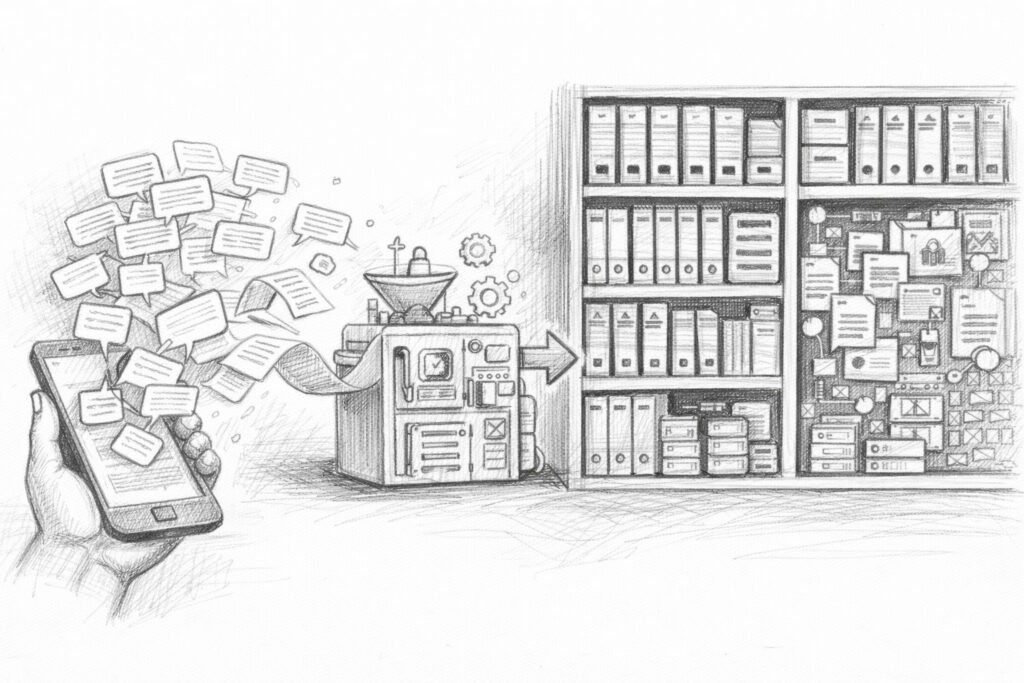
If you work regularly with an AI for a few weeks or months, the number of conversations grows quickly. What initially seems manageable becomes a long list of dialogs over time.
In the beginning, you might think to yourself: „I'll find it later.“ But the more conversations you have, the more difficult this becomes.
Many good ideas, analyses or solutions are hidden somewhere in older chats. You may still remember talking about them once - but not exactly when.
This is where simple chat lists reach their limits. After all, an archive of hundreds or thousands of conversations only becomes really valuable when you can search it specifically, recognize connections and reuse knowledge.
And this is precisely where the idea of a personal knowledge database comes from.
Why classic search is not enough
Most platforms offer a simple search function. You can enter a keyword and a list of conversations containing this word will be displayed.
This works well for smaller chat archives. However, the larger the collection, the clearer the limitations of this method become. The problem is that classic searches only search for exact terms. For example, if you are looking for a specific topic, you need to know exactly which words were used at the time.
But thoughts can rarely be reduced to a single word. Perhaps you once talked about „digital sovereignty“, later about „personal data control“ and again about „personal knowledge archives“. In terms of content, these topics are closely related - but linguistically they look different. A simple keyword search usually does not recognize these connections. As a result, a large part of the knowledge remains hidden in the archive, even though it is actually there.
This is precisely where the idea of modern knowledge systems comes in.
Structured knowledge systems
A knowledge database pursues a different goal than a simple chat list. It not only attempts to store conversations, but also to structure knowledge in such a way that it can be found more easily at a later date. First of all, this means storing information in a form that can be searched in a targeted manner.
In traditional knowledge systems, this is often done using categories, keywords or database fields. Content is sorted, linked and correlated. However, such a manual system would hardly be practicable for large volumes of AI dialogs. Nobody wants to sort thousands of conversations individually or assign keywords to them.
This is where modern methods come into play, where machines help to structure content. Instead of manually categorizing each text, programs can recognize which topics occur in a document and how different content is related to each other.
This creates a knowledge system that not only stores data, but also understands its meaning.
AI as a search engine for your own thinking
The decisive step is to make the AI itself a tool for searching your own knowledge archive. Instead of just searching for individual words, an AI can also recognize meanings and contexts. It understands that different formulations often boil down to the same topic.
When you ask a question, the system searches not only for specific terms, but also for text passages that match the content. This method is often referred to as a semantic search. It is no longer just about words, but about the meaning behind the words.
Such a system can, for example, recognize
- which conversations deal with similar topics
- which ideas are connected with each other
- which previous analyses fit a current question
This fundamentally changes the way you deal with your own knowledge archive. Instead of laboriously scrolling through old chats, you can ask a question - and the system automatically finds relevant passages from previous conversations.
Your own chat history thus becomes a kind of personal source of knowledge that can be tapped into again at any time. Step by step, something new is created from a collection of dialogs: a digital memory that supports your own thinking instead of just storing old conversations.
From a simple chat history to a personal AI knowledge system
| Level | Description | Benefits for the reader |
|---|---|---|
| 1. normal use of ChatGPT | Conversations with the AI for questions, ideas, texts or analyses | Quick help in everyday life, but many thoughts remain scattered in individual chats |
| 2. data export | Download the entire previous call data as an archive | Securing your own dialogs and the first step towards more data control |
| 3. structured preparation | Break down, organize and prepare the content for a later search | A raw archive becomes a usable knowledge base |
| 4. storage in a knowledge database | Storage of content in a searchable structure, for example in a vector database | Old thoughts, topics and connections are much easier to find again |
| 5. connection with your own AI | A local AI accesses its own data for answers | AI is becoming more personal, more contextual and much more useful in the long term |
| 6. personal AI memory | Own conversations, notes and documents together form a permanently usable knowledge archive | Knowledge is no longer easily lost and can be reused for new projects |
The idea behind RAG systems
If you start to look more closely at the use of your own data in AI systems, sooner or later you will come across a term that has been cropping up more and more frequently in recent years: RAG. The abbreviation stands for Retrieval Augmented Generation. However, behind this somewhat unwieldy name lies a surprisingly simple concept - and at the same time one of the most important developments in modern AI systems.
RAG basically describes a method in which an AI not only works with its own trained knowledge, but can also access external data. This data can come from very different sources.
And this is where the ChatGPT data export suddenly becomes particularly interesting. Because it can be such a source of knowledge.
What Retrieval Augmented Generation means
To understand what RAG systems can do, you first need to look at how classic AI models work. A language model has been trained on large volumes of text. It has learned to recognize patterns in language and generate new texts from them. But this knowledge is static - it is based on the model's training data.
If you ask an AI a question, it normally only draws on this learned knowledge. With a RAG system, something different happens. Before the AI formulates an answer, the system first searches a database for relevant information. This information is then made available to the AI as additional context. Only then does the model generate an answer.
The simplified procedure looks like this:
- You ask a question.
- The system searches a knowledge database.
- Suitable text passages are found.
- This information is transferred to the AI.
- The AI formulates an answer based on this context.
This allows the AI to work with information that was not part of its original training.
Why RAG is a breakthrough
This method significantly changes the role of AI systems. Without RAG, a language model works exclusively with its general knowledge. It can explain contexts or formulate texts, but it does not know any specific information about your own projects, documents or thoughts.
With RAG, the situation is completely different. The AI can suddenly access an external source of knowledge. This makes it possible to build systems that not only answer general questions, but also use very specific information. For example:
- Company documents
- Technical manuals
- scientific articles
- internal knowledge databases
- Or - and this is where it gets exciting - your own AI conversations.
When chat histories are integrated into such a database, a new type of knowledge system is created. The AI can then access previous analyses, ideas or discussions. It becomes a kind of conversation partner that can remember previous thoughts. This is the point at which a simple chat tool becomes a genuine knowledge system.
Examples of personal sources of knowledge
A RAG system can work with very different types of data. Basically, any form of text can be integrated into such a knowledge base. Typical sources are, for example
- personal notes
- Technical article
- Research documents
- Company documents
- Technical documentation
However, a new, particularly interesting category is emerging in connection with AI: personal dialog archives. Personal conversations with an AI often already contain structured analyses, summaries and ideas. Much of this content is still relevant for future projects.
If these conversations are integrated into a knowledge database, an archive is created that not only stores information, but also documents your own thought process. An AI can later retrieve precisely this content and incorporate it into new answers. This turns the system into a tool that not only processes knowledge from the internet, but can also draw on its own thinking.
And this is precisely where a development begins that is likely to become increasingly important in the coming years: AI systems that are not only generally trained, but can also access individual knowledge archives.
The ChatGPT data export is more than just a technical detail in this context. It is the first step towards such a personal knowledge base.
The path to your own AI with memory
Once you understand the concept behind RAG systems, an exciting question arises almost automatically: what if an AI not only had general knowledge - but also access to its own data?
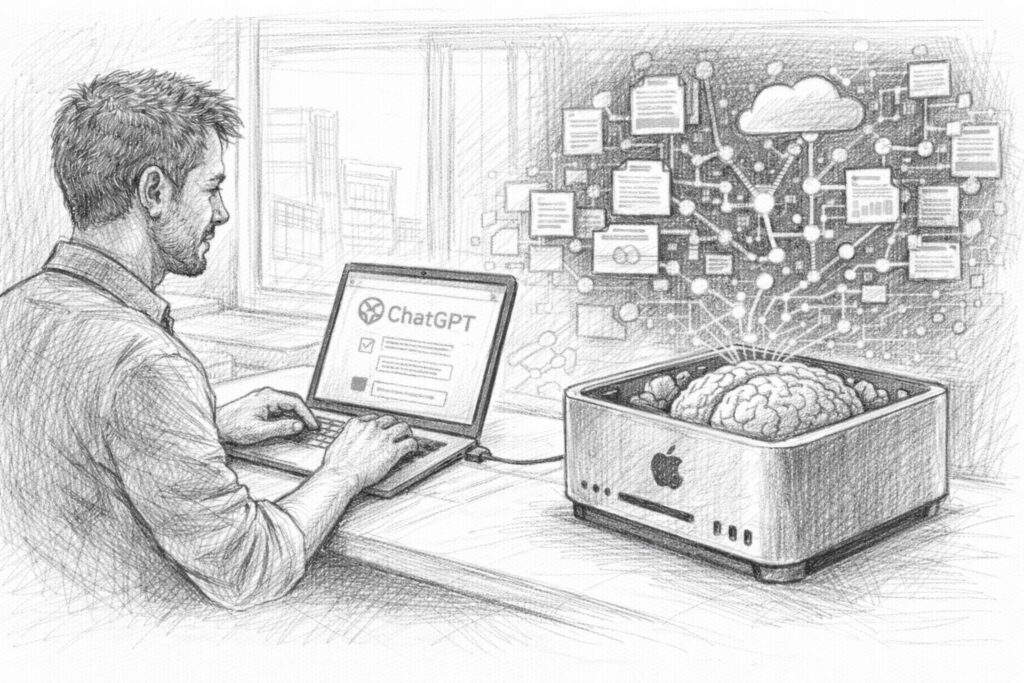
This is precisely where a development that is currently attracting more and more attention begins: personal AI systems. The idea behind this is comparatively simple. Instead of relying exclusively on large cloud services, you can set up your own AI environment that works with individual data. This includes, for example, your own documents, articles, notes or even exported chat histories.
An AI of this kind thus becomes something completely different from an ordinary chatbot. It develops a kind of memory based on personal knowledge sources. The path to this consists of several building blocks - and it is precisely these building blocks that we will now take a closer look at.
Local AI models on your computer
The first step towards a personal AI system is to use a language model that runs on your own hardware. In recent years, many so-called local LLMs (Large Language Models) have emerged that can be run on a normal computer. Although these models are often smaller than the largest cloud systems, they can still deliver impressive performance.
A major advantage of such models is the control over your own data. If an AI runs locally, all conversations and documents remain on your own computer or in your own network. There is no need to transfer them to external services.
Popular tools for such local systems include platforms such as Ollama, which make it relatively easy to start and manage language models. This turns an ordinary computer into its own AI environment. This environment forms the basis for everything that follows.
Vector databases as knowledge repositories
The second important building block of a personal AI system is a special type of database: the so-called vector database. While traditional databases store information via simple fields and tables, vector databases work with mathematical representations of texts. Each text is converted into a type of number vector.
This process is known as embedding. The advantage of this method is that texts can be searched not only for exact terms, but also for their meaning. For example, a vector database can recognize that two texts deal with similar topics, even if different words are used.
This is precisely why such databases are particularly suitable for searching large collections of texts - for example:
- Article archives
- Document collections
- Research data
- or chat histories
Loading the exported conversations from ChatGPT into such a database creates a knowledge base that can later be searched very efficiently. The AI can then specifically find the text passages that match a certain question.
Personal knowledge systems of the future
When you combine these building blocks - a local language model, a vector database and a collection of your own data - you get something that would have been almost unimaginable just a few years ago.
A personal knowledge AI.
Such a system can not only answer general questions, but also access individual sources of knowledge. It can take previous conversations into account, analyze its own documents or incorporate older analyses. The AI thus becomes a kind of extended memory. You can ask it questions:
- whether a certain topic has been discussed before
- what arguments were developed at the time
- which ideas for a project already exist
The system then searches through its own data and uses this information as the basis for its response. This creates a tool that goes far beyond traditional search functions. The AI becomes a real conversation partner that not only knows general knowledge, but can also access its own archive.
And this is where the topic of this article comes full circle. Because the first step towards such a personal knowledge system is surprisingly simple: exporting your own chat data. What initially seems like a technical function can become the basis for a completely new way of dealing with knowledge. An approach in which your own thoughts are not lost - but become a permanently usable memory.




A look ahead: the digital memory of the future
Once you realize what is created in your own AI conversations, your view of this technology changes fundamentally. What initially seems like a practical tool turns out to be something much bigger on closer inspection. With every conversation, a collection of thoughts, ideas, analyses and decisions grows. Over months or years, an archive is created that documents your own thought process.
In the past, this was difficult to do. Thoughts were perhaps recorded in notebooks, jotted down on pieces of paper or saved in individual documents. A lot of things got lost or disappeared at some point in everyday life.
AI systems are changing this pattern. They automatically save dialogs, structure information and make it accessible in the long term. Data export is the key to not just leaving this knowledge on a platform, but to working with it yourself.
Why personal AI archives are becoming more important
We live in a time in which knowledge is created faster than ever before. New information, new ideas and new technologies emerge every day. For many people, it is becoming increasingly difficult to maintain an overview. Projects run in parallel, topics overlap and ideas develop over longer periods of time.
This is precisely why personal knowledge archives are becoming increasingly important. If you use your own data systematically, you can revisit earlier ideas, retrace arguments or link older analyses with new developments. Instead of constantly starting from scratch, you build on your own knowledge step by step.
AI systems can help to make sensible use of these archives. They make it possible to search through large volumes of text, recognize correlations and find relevant information. This creates a new form of knowledge management - a combination of human thinking and machine support.
Control over your own data
Another aspect is likely to become even more important in the coming years: control over your own data. Many digital services today work according to the principle of centralized platforms. Data is stored on servers, processed and managed in closed systems.
Data export opens up a different perspective here. It gives users the opportunity to save their information themselves and use it independently of a specific platform. Conversations, analyses and ideas are therefore not locked away in a closed system.
Instead, they can become part of their own knowledge archive. This can be a decisive advantage, especially for people who work intensively with AI - such as authors, entrepreneurs or developers. After all, knowledge is one of the most important resources of modern work. Those who use their own data in a structured way create a basis for long-term projects and continuous further development.
Outlook for the next practical article
This article has one main aim: to show that the ChatGPT data export is much more than just a technical function. It can be the starting point for a personal knowledge archive - an archive that makes your own thoughts, ideas and analyses permanently accessible. But there is of course another step between this idea and practical implementation.
- How exactly can exported chat data be processed?
- How can they be integrated into a knowledge database?
- And how do you connect such a database with your own AI?
This is exactly what the next part of this short series of articles will be about. There, we will take a very specific look at how such a workflow can be implemented in practice - from ChatGPT data export to data preparation and integration into your own AI environment.
The theory then gradually becomes a functioning solution. The real value of this data only becomes apparent when you start to actively work with it.
Ollama locally on a Mac installieren
 This article shows how a local AI can be created and used on a Mac with a language model via Ollama install. The focus is on a practical step-by-step guide that is particularly suitable for Apple-Silicon computers. Ollama serves as a lean runtime environment for various open source models such as Llama, Mistral or Gemma and makes it possible to run them directly on your own computer. The article explains the installation process, the first steps with the software and typical pitfalls. According to the article, an important advantage of local AI is its independence from cloud services as well as better data protection and control options, as all data remains on your own computer and does not have to be transferred to external providers.



Frequently asked questions
- How can I export my ChatGPT data?
Exporting your own ChatGPT data is relatively easy. In the account settings there is an area for data protection or data management. There you can request a data export. After the request, the system creates an archive with the saved information. Shortly afterwards, you will receive an email with a download link. You can use this link to download a ZIP file containing your chat histories and other data. Depending on how intensively you have used ChatGPT, this file can be several hundred megabytes or even several gigabytes in size. The entire process usually only takes a few minutes or hours and does not require any specialist technical knowledge. - What exactly is included in the ChatGPT data export?
The export mainly contains your chat histories. This means that every question and every answer from your conversations with the AI is saved. This content is usually stored in structured files, often in JSON format. Metadata can also be included, such as timestamps of individual messages or information about the structure of a conversation. If you have used functions such as voice dialogs or image generation, corresponding media content may also be included in the export. Overall, this creates a relatively comprehensive archive of your usage - basically a complete documentation of your previous conversations with the AI. - Why can the ChatGPT export be several gigabytes in size?
Many users underestimate how many conversations they have with an AI over time. If you regularly work with ChatGPT - for ideas, texts, analyses or problem solutions, for example - hundreds or thousands of dialogs are quickly created. Each of these dialogs contains several messages. In addition, structural information and sometimes media are also stored. If you have used voice functions or images, for example, the volume of data increases further. An export can therefore quickly reach several gigabytes. This is not an unusual value, but rather shows how intensively the AI has already been used as a thinking tool. - Is my exported data easy to read?
For people, the files in the export often seem a little unfamiliar at first. Much of the content is stored in JSON files, which look rather technical. Nevertheless, the data can be opened and read with simple text editors. Although the structure is structured, the conversations are basically still clearly recognizable. Each message contains information about who wrote it and when it was created. This format is even ideal for technical applications because programs can process the data very well. This makes it relatively easy to analyze chat histories later on or integrate them into other systems. - Why do so few people know about this export function?
Although data export is available, it is not the focus of daily use. Many people simply use ChatGPT as a conversation or research tool and do not concern themselves with the technical possibilities behind it. In addition, the term „data export“ initially seems more like a function for developers or data protection issues. The actual benefit - namely a personal knowledge archive - is rarely explained. This is why this option remains invisible to many users, even though it is very easy to access. - Can I also use the export if I am not a programmer?
Yes, absolutely. The export itself does not require any technical knowledge. Any user can request and download it via the account settings. Even if you initially only save the data as an archive, this is already useful. If you want to go deeper later, you can still analyze the data or integrate it into other systems. But even without programming, the export can be helpful, for example to look up old conversations or find ideas again. - Why are AI conversations seen as a kind of digital memory?
Many conversations with AI give rise to thoughts, analyses or ideas that might otherwise be lost. While traditional conversations with colleagues or friends are rarely fully documented, AI dialogs remain saved. This creates a collection of thought processes over long periods of time. Exporting and archiving these conversations creates a kind of chronological log of your own thoughts. You can see when an idea was born, how it developed and which arguments were discussed. - What are the advantages of a personal AI knowledge archive?
A personal knowledge archive makes it possible to find previous thoughts and analyses at any time. Instead of starting from scratch with every new project, you can fall back on previous ideas. This is particularly valuable for long-term projects. You can search through older discussions, recognize connections or reuse previous arguments. The archive thus becomes a kind of extension of your own memory. - What is a knowledge database in the context of AI?
A knowledge database is a system that stores information in a structured way and makes it accessible again later. In the context of AI, this means that texts - such as documents, articles or chat histories - are stored in such a way that a machine can search through them. The AI can then find relevant content and incorporate it into responses. This creates a system that not only uses general knowledge, but can also access specific information. - What does semantic search mean?
Semantic search means that a system not only searches for individual words, but also for their meaning. For example, if you ask for a specific topic, the system can also find texts that describe similar content, even if they use different terms. This type of search is particularly helpful with large text archives because it recognizes connections that would remain hidden with a simple keyword search. - What is a RAG system?
RAG stands for „Retrieval Augmented Generation“. This is a method in which an AI first searches a knowledge database before providing an answer. Suitable information is then transferred to the language model as context. Only then does the AI formulate an answer. This allows it to work with current or individual data that was not part of its original training. - Why are RAG systems interesting for personal data?
RAG systems make it possible to incorporate personal data into AI responses. This means that an AI not only uses general knowledge, but can also take personal information into account - such as documents, articles or chat histories. This makes the system much more individual. The AI can integrate previous analyses or thoughts into new answers. - What are vector databases?
Vector databases are special databases that convert texts into mathematical vectors. This allows content to be compared according to its meaning. Two texts with similar content receive similar vectors and can therefore be found more easily. This technique is particularly important for semantic search and RAG systems. - What does „embedding“ mean in the context of texts?
Embedding describes the process by which a text is converted into a mathematical representation. The content of the text is translated into a number vector. These vectors enable machines to compare the meaning of texts with each other. This enables a system to recognize which contents fit together thematically. - Why are local AI models becoming increasingly popular?
Local AI models run directly on your own computer or server. This allows users to retain full control over their data. Conversations, documents and analyses do not have to be sent to external platforms. Such systems can also be customized and linked to your own knowledge sources. For many people, this is an important step towards digital self-determination. - Can I really connect my ChatGPT export to my own AI?
Yes, this is basically possible. The exported chat histories can be analyzed, broken down into smaller text sections and then loaded into a knowledge database. A local AI system can later search through this data and use it as context for answers. This creates a system that can draw on previous conversations. - What practical applications are possible with such systems?
A personal AI knowledge system can take on many tasks. It can find previous ideas, search article archives or access older analyses for new projects. It can also make it easier to search through complex document collections. In the future, such systems could even serve as personal knowledge assistants. - Is the ChatGPT data export also interesting for authors or entrepreneurs?
The export can be very valuable, especially for people who regularly work with ideas, analyses or strategic considerations. Many thoughts arise in dialog with AI. If these conversations are archived, ideas can be found again later or developed further. This creates a long-term collection of projects, concepts and arguments. - What happens in the next part of this article series?
The next article is about practical implementation. It explains step by step how to analyze and process a ChatGPT data export and integrate it into your own AI system. We will look at specific tools and methods that can be used to turn a simple data archive into a functioning personal knowledge system.