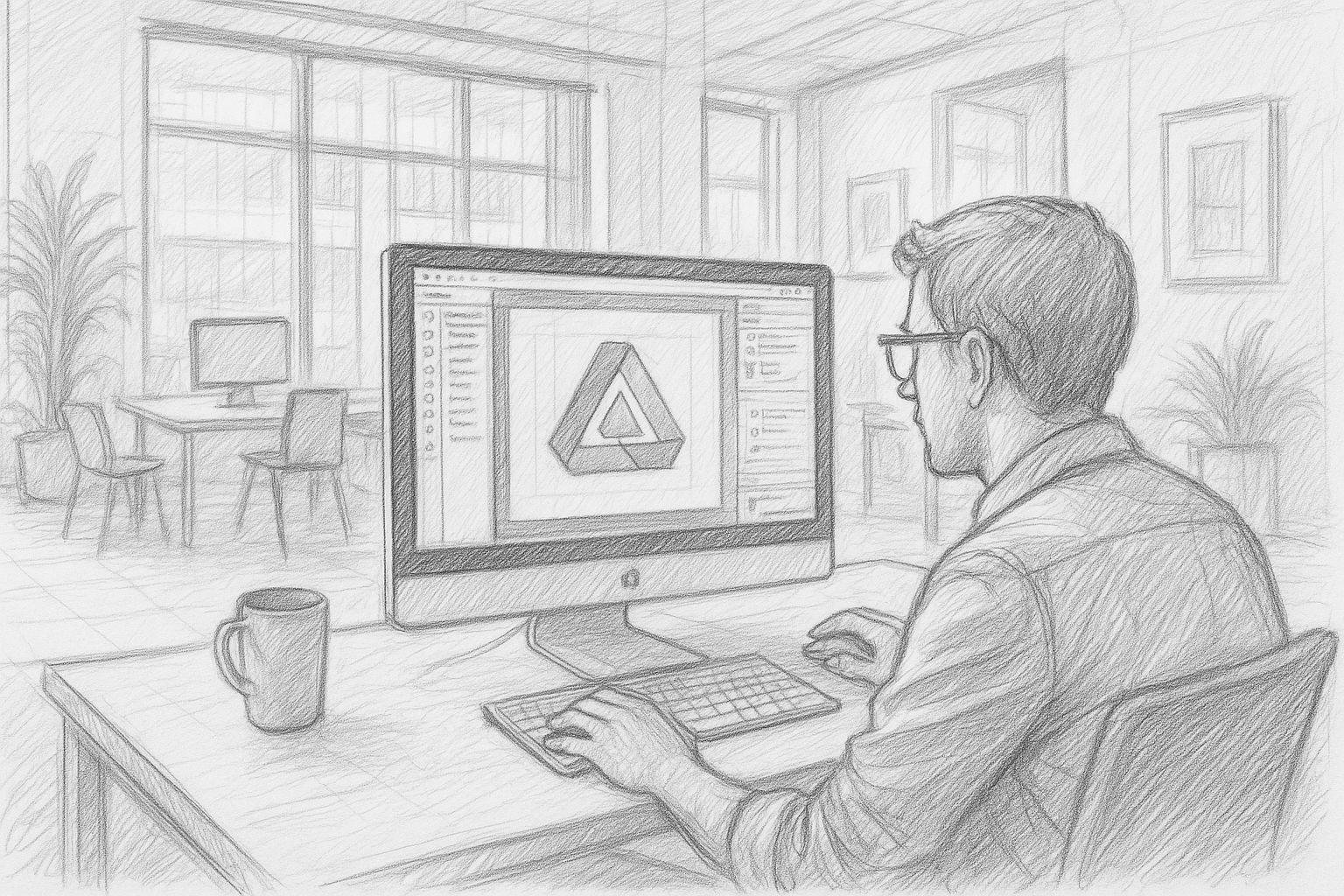
If, like me, you have been working with layout and typesetting programs for decades, you usually notice such changes more clearly than those who have only recently entered this world. I have seen many things come and go over the years: In the early nineties, I worked on the Atari ST with Calamus SL and later, under Windows, with CorelDraw! Later came QuarkXPress, then iCalamus, Adobe InDesign - and finally, a few years ago, Affinity Publisher. Since then, the Affinity suite has accompanied me through almost all my book projects. Over the years, it has been a reliable tool, pleasantly straightforward, clearly structured and free of the ballast that many large software houses have added to themselves over the years.
This makes the change we are now experiencing all the greater: Serif, the British company behind Affinity, was acquired by Canva in 2024, and „Affinity by Canva“ has been available in a completely new form for a few weeks now - free of charge, „free forever“, as they say. The three separate programs Designer, Photo and Publisher no longer exist in this form; everything is now in a single application. For the masses, this sounds like a gift. For long-time users like me, it's a change that deserves attention. Because when a tool that you have relied on for years suddenly changes its basic structure, you traditionally take a closer look. That's how it used to be done - and it usually saved you from unpleasant surprises.

Why this step surprises many
For years, Affinity was the antithesis of Adobe. While Adobe continued to expand its subscription model, Serif held steadfastly to one-time purchases: buy, own, use - with no monthly fees. For many creatives, including myself, this was one of the main reasons to switch to Affinity. You knew where you stood. No experiments, no hidden traps, no commitment to an ecosystem you might not even want. A tool that you pay for once and then it just works. This reliability seems almost old-fashioned today - but it has stayed with many of us for years.
This makes the new direction under Canva all the more surprising: Affinity becomes free of charge, The previous product structure has been dropped and replaced by a freemium model. This is not a bad thing per se, but it does raise eyebrows. When software that has always prided itself on not relying on subscriptions suddenly becomes part of a global platform ecosystem, questions inevitably arise. You want to understand what this step means in the long term - for the software, for the users and for the workflows that you have built up over the years.
For me personally, this change is a point at which I consciously take a closer look. I use Affinity Publisher every day for my books, and I have been recommending it to my readers and fellow authors for years. Accordingly, I want to understand whether this change of course really delivers what it promises. Sometimes there is more marketing than tradition behind big promises. And that's exactly why it's worth giving the next chapters of this article the attention they deserve.
What the free Affinity version actually offers
The new direction of „Affinity by Canva“ inevitably raises the question of what the software can really do in free mode - and where its limits lie. At first glance, the model seems generous: you get a fully-fledged application that combines vector graphics, layout and image editing under one roof. Many of the classic functions of the old Affinity suite are still included. These include precise typography management, professional PDF exports, CMYK support, layer and mask functions, as well as the familiar clarity of operation. For beginners, hobby graphic designers and many freelancers, this may be perfectly adequate.
However, as is so often the case, the truth lies in the details. Some of the extended functions - in particular AI tools, automation, special export variants or deep integrations with online-based services - are now reserved for the premium area. Canva is thus relying on a freemium principle that feels familiar to experienced users: the basics remain open, the special features are subject to a fee. There is nothing fundamentally wrong with this as long as the basis remains stable and the professional core functions are not gradually thinned out or shifted behind paywalls.
Stability plays a greater role in book typesetting than in many other creative activities. Anyone laying out a 300-page non-fiction book or a novel must be able to rely on color management, PDF/X export and typographic fine-tuning working exactly as required. Traditionally, these areas have been the strength of Affinity. And that's exactly why it's worthwhile for long-time users to take a close look at the new version. Free is a nice word - but for professional production processes, reliability is what counts most.

| Range | Affinity Suite (Serif, purchase version) | Affinity by Canva (new model) |
|---|---|---|
| License model | One-time purchase (perpetual license), no ongoing fees, classic versioning (V1, V2 ...) | „Free forever“ for the basic functions, freemium model with optional fee-based extensions |
| Structure of the programs | Three separate applications: Affinity Designer, Affinity Photo, Affinity Publisher | An integrated application that combines vector, image editing and layout |
| Pricing | One-time purchase per application or suite, occasional discount promotions, but no free full version | Base version free, additional features (e.g., AI, advanced features, cloud integration) as premium option |
| Updates & further development | Updates as part of the purchased main version, larger jumps (e.g. V1 → V2) subject to a charge | Ongoing further development within the Canva ecosystem, presumably with a stronger focus on a broad target group |
| Target group | Professional designers, photographers, publishers and ambitious hobby users with a focus on classic desktop workflows | Broader mass of Canva users, beginners, self-publishers - plus existing professional users who adopt the new functions |
| Cloud & AI functions | More locally oriented, without a deep connection to a large online ecosystem, AI rather limited or not centralized at all | Significant expansion of AI tools and online functions, some with a premium character and closer Canva integration |
| Offline use | Complete offline use possible, classic desktop software without the need for a cloud connection | Basic functions can still be used locally, but online features and cloud integration are expected to become increasingly important |
| Book production (print) | Proven workflows for PDF/X, CMYK, typographic fine-tuning, stable use in classic book typesetting | Basically comparable functions, but under a new roadmap - long-term priority for professional typesetting remains to be seen |
| E-Book / EPUB-Export | EPUB export rather rudimentary or with room for improvement, additional workflows often necessary | Potential for improvements through new development focus, but no clear „EPUB paradise state“ currently foreseeable |
| Integration into other systems | Mainly stand-alone desktop application, integration via standard formats (PDF, PSD, SVG etc.) | Stronger link to Canva platform, simplified transition between online design and Affinity project conceivable |
| Transparency & predictability | Clear purchase version, relatively comprehensible update cycle, easy to plan for long-term workflows | More dynamism through freemium and platform strategy; uncertain in the medium term which functions will remain permanently free of charge |
| Strategic orientation | Focus on independent pro software as an alternative to Adobe, strongly desktop-centered | Alignment as part of a global design ecosystem, with a focus on reach, growth and freemium revenues |
Significance for professional book production
I have been using Affinity Publisher for my books for many years - with very good results. The clear structure, clean typography, reliable PDF exports and the ability to work on large projects without any noticeable weaknesses have made Affinity a reliable partner for me. This is precisely why I have been recommending the software for a long time, including in my own publications. Even the template set that comes with my book „Writing books 2.0“ deliberately contains layout templates for Affinity Publisher. Not because it is a fashionable tool, but because it has proven itself over the years.
That's why this change affects me personally more than many other users. I regularly produce books - non-fiction, personal development, technical literature, health guides - and I need tools that not only look good, but work reliably. When a tool that you have valued for years suddenly becomes part of a freemium model and moves into a different ecosystem, you inevitably ask yourself questions. Not out of fear, but out of responsibility for your own projects. You check whether the pre-press stage remains stable. You check whether color profiles are properly integrated. You pay attention to whether workflows that used to run like clockwork are changing.
For new authors, the free version can be a great advantage because they can get started immediately without any initial costs. For those of us who work with it professionally, on the other hand, it's time to take a closer look. You don't blindly rely on promises, but take your time to check whether the new version delivers what the old one did for so many years. That's how it used to be done, and it worked. And that is precisely why this sober, tradition-conscious approach is worthwhile today more than ever.
Current survey for interested authors
Opportunities: Where the new Affinity version really scores
As much as one may frown at first at major changes, it is worth taking a sober look at the positive aspects. Probably the biggest advantage is obvious: Affinity is much more accessible for beginners and aspiring authors. Anyone who was previously put off by the price or put off buying it for a long time can now get started straight away. Historically, this lower barrier to entry is often the moment when new creatives find their way into professional tools in the first place.
There is also a tangible practical advantage: the combination of Designer, Photo and Publisher in a single application creates a pleasantly uniform working environment. You no longer have to switch between three programs, pay attention to three separate updates or keep different operating logics in mind. For many workflows, this simply means less friction and more clarity - something that has always been worth its weight in gold in creative processes.
The new model can also open up great opportunities for self-publishers. Many hobby authors who want to publish a book for the first time don't fail because they can't write, but because they don't have access to good layout tools. When such a tool is suddenly free, a whole new dynamic is created: more authors dare to tackle their own book projects, and those who want to can now very easily recommend Affinity to them without having to consider their financial situation. Especially if you - like me - provide templates and workflows, this threshold will be much lower in the future.
And last but not least, Affinity remains a serious alternative to Adobe. The industry needs alternatives, and every free, high-quality tool ensures that the market does not tip completely in one direction. From this perspective, this development certainly has the potential to do good in the long term - even if it is viewed with the necessary degree of caution.
Risks: Why professional users should take a closer look
But as nice as opportunities sound - anyone who has been working with professional tools for years knows that every major change also involves risks. This starts with the question of how sustainable the new model is. „Free forever“ sounds tempting, but we've often heard promises like this in the software world. The decisive factor is which functions will remain free in the long term - and which may gradually slip into the premium range. Especially when it comes to professional functions such as pre-press, color management or special exports, you should remain vigilant.
A second point concerns the new strategic direction. Canva is a gigantic ecosystem, optimized for simple, mass-market design processes. Affinity, on the other hand, was for many years a tool for those who deliberately wanted to go deeper - graphic designers, photographers, publishers, book typesetters. Now both are under the same roof. This may work out well, but it may also mean that Affinity becomes more closely linked to the Canva universe in the long term than one would wish from a professional perspective. Those who work traditionally and value complete local control should remain vigilant here.
The update policy is also a factor. When an application becomes free, the pressure to deliver new features quickly also usually changes - often for the general public rather than for professionals. This can lead to classic publishing functions no longer having the same priority as before. And anyone who regularly produces books knows that a single small error in the PDF/X output module can destroy hundreds of pages of work.
Finally, there is the question of stability: will more AI functions be added to make the system heavier? Is the balance between professionalism and market breadth shifting? Will the user interface remain consistent or will it gradually move towards online integration?
None of this means that we have to be pessimistic. On the contrary: with a clear head and a healthy dose of tradition, you can accompany these changes well. But professional users know: You don't build trust overnight. You check, you test, you work step by step - exactly as you have always done. And from this perspective, it makes sense to keep a close eye on Affinity's new path.
How I deal with the new Affinity orientation
As someone who regularly publishes books and structures his projects neatly, I view the change at Affinity through two lenses. On the one hand, I recognize the potential that a free professional program brings for new authors. Many people who have perhaps been dreaming of creating their own book for years now no longer have a financial hurdle - and that is undoubtedly a benefit. It's also helpful for me as a publisher, because it makes it easier to work with authors who want to roughly lay out their manuscripts or prepare graphics themselves for the first time.
On the other hand, I remain cautious about my own work processes. I work professionally, I typeset books not only for myself but also for my publishing house - and I depend on stable, reliable export processes. Especially when it comes to PDF/X, CMYK rendering and typographic precision, a tool has to work like a well-oiled clockwork for years. Affinity has done this very reliably so far, and that's exactly why I've used it for so many years - from the first creative draft to the final print PDF.
For the future, I would like to see one thing above all: a really high-quality, clean EPUB export. This is the area where Affinity has the most room for improvement so far. If Canva and the new Affinity team take this point seriously and consistently implement improvements, then the tool for e-book production could make further significant gains. Modern publishers in particular need flexible export channels - and anyone who creates both print and digital editions is dependent on a reliable EPUB module. In my opinion, this is where the greatest opportunity of the new affinity era lies.
Until then, I will continue to follow the traditional approach: I'll keep my previous working version in use, test the new version in parallel and take my time to observe how the software develops. One step at a time - the way it used to be done and how it has proven itself in practice.
„Writing books 2.0“ - practical guide for authors in the age of AI
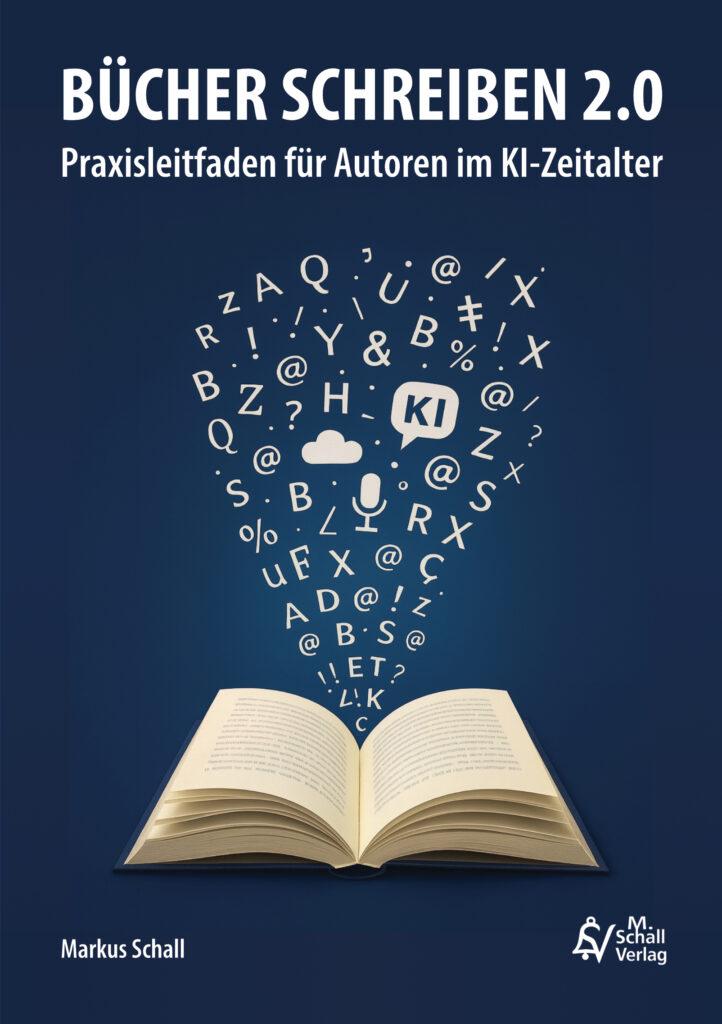 Anyone who is perhaps thinking about writing a book for the first time as a result of the new developments around Affinity will find the following in my own work "Writing books 2.0 - practical guide for authors in the age of AI" a clear, practical introduction. The book shows how simple and fascinating the process has become today. It combines proven writing techniques with the latest possibilities of artificial intelligence and guides you step by step from the initial idea to the finished book cover.
You will learn how to use modern DTP programs - including Affinity Publisher, of course - in a targeted way, how AI tools can help with plotting, researching, structuring and even formulating, and how to publish a professional book in the end. The guiding principle of the book is: writing books has never been so easy and so exciting. This is exactly what makes the practical guide a valuable companion - regardless of whether you are planning your first book or want to optimize your existing processes.


Frequently asked questions
Why is Affinity suddenly being offered free of charge, even though the software had a classic purchase model for years?
Canva is pursuing a clear growth strategy: with a free entry, the Group is lowering the threshold for millions of new users. The more people use Affinity, the greater the potential for later premium functions, cloud connections or AI enhancements. The traditional Serif model with a one-off purchase was popular, but economically limited. Canva, on the other hand, focuses on breadth and long-term monetization - an approach that has become common in many software markets.
What role does the takeover by Canva play in this development?
The takeover was the decisive turning point. Serif was a comparatively small company with a strong but specialized user base. Canva, on the other hand, is a global player that thinks in ecosystems. The combination of the products into a freemium strategy follows precisely this logic: open a large gateway, generate broad usage, strengthen the platform. Without Canva, the free model would probably not have been created.
What does the elimination of the three individual programs (Designer, Photo, Publisher) mean?
For users who previously had to switch between three applications, the new structure brings significant simplification. No separate updates, no rethinking when switching between layout, graphics and image editing. For long-time professionals, however, this also means a change - because precise specialization was previously a strength. Now everything is available in one package, which has to be tested and evaluated.
How stable is the new version for professional book production?
The basis is currently stable enough to link to existing workflows. Color profiles, PDF/X export and typographic subtleties continue to work. Nevertheless, it is worth remaining vigilant, as the company's focus has shifted. There is no guarantee that professional features will retain the same priority in the long term. For extensive book projects, it is therefore advisable to try out the new version in smaller test scenarios first.
Why should professional users be critical of the move?
Because free models often go hand in hand with strategic changes. In the future, further development may focus more on the broad Canva user base, not necessarily on high-precision publishing requirements. Premium functions could also grow in terms of content, while free areas are restricted. Those who work professionally rely on stability - and this is precisely what must first be proven again under the new model.
Is the free approach more of an opportunity or a risk?
Both. For beginners, it is a huge opportunity because they can work with a professional tool at no initial cost. For professionals, it's a risk, because free usually means that the business model is elsewhere. Affinity now operates within this range, which is precisely why it is worth taking a conscious, not too euphoric look.
What are the advantages for self-publishers?
Self-publishers benefit enormously. They can immediately develop their own covers, book layouts or graphics without any investment. Especially in combination with templates - such as your own for the book „Bücher schreiben 2.0“ (Writing books 2.0) - you get a direct, practical start. Many authors who never wanted to touch a layout program will now have access to it for the first time.
What role does the EPUB export play in the evaluation of the software?
EPUB is essential for modern publishers and authors. Affinity has never really been strong in this area. The new version offers the chance for Canva to take this topic more seriously and expand on it. If a high-quality, typographically stable EPUB export is created, this would be a huge step forward. At the moment, however, this point remains a construction site - but at the same time the greatest potential.
Will the new version be suitable for large book projects in the long term?
It is not yet possible to say for sure. The basic functions speak for it, but the strategic orientation could lead to Canva optimizing more towards online design, the template market and AI functions in the medium term. Large projects need stability, reliable typography and precise control. Therefore: test in parallel, but don't switch blindly.
What happens to previous purchase versions?
Existing licenses will retain their function and continue to run. However, they will probably be developed less actively and at some point only receive bug fixes - if at all. For many, the old version will remain a kind of „stable island“ while the new version continues to evolve. This is precisely one of the reasons why professionals should keep two systems in parallel.
How does the workflow change for designers who have previously used all three Affinity programs?
The workflow can become simpler because the new version bundles everything in one application. However, you also have to make the change in your head: Anyone who was used to completing certain tasks exclusively in Designer or Photo will have to reorient themselves. The question is whether the integration will be elegant - or whether the software will become heavier and more confusing. This varies depending on the use case.
What is the concrete impact of the „Canva idea“ on the professional market?
Canva's approach is to make design accessible to everyone, not just professionals. This inevitably influences development priorities. Features that are relevant to millions of users come faster. Niche professional features, on the other hand, may grow more slowly. Book professionals should therefore keep a close eye on how much Canva actually focuses on precision in prepress.
Can the free version really compete with Adobe?
For many hobby designers and social media graphic designers: yes. For professional layout and print processes: only partially. Adobe remains the standard in the high-end sector, especially because of InDesign's mature EPUB and XML workflows. However, if Affinity retains its strengths in book typesetting, PDF/X and typography and at the same time improves the EPUB area, the balance of power could shift noticeably.
Should I switch to the new version completely?
Not at the moment. It makes sense to work in parallel: the stable purchase version for productive book projects, the new version for testing and exploring. This way, you have the advantages of both worlds and protect your production processes from unexpected disruptions. This also corresponds to the classic approach of many professionals.
What risks does the increasing use of AI in Affinity entail?
AI can make work much easier, but it also brings complexity with it. The more AI functions are integrated, the greater the risk that the system will become more cumbersome or generate errors that are only noticed late in the printing process. In addition, certain AI functions could become chargeable in the future. Precision still counts for professional book production - and this usually comes from traditional tools, not from AI magic.
How important is offline use?
Very important. Many publishers deliberately work offline to ensure production security and data sovereignty. As long as Affinity keeps the core functions usable offline, the software remains attractive. However, if Canva were to integrate more cloud compulsion in the future, this would be problematic for professional users. This is another reason why it is advisable to keep a watchful eye.
What long-term recommendations can be made for authors, designers and publishers?
Use the free options - but don't rely on them blindly. Work with stable versions for critical projects and watch how Affinity evolves under Canva. If EPUB export is strengthened and typographic precision is maintained, Affinity could even become stronger than before in the long term. Until then, the old rule applies: test thoroughly, rely on the tried and tested and keep an eye on new options.