
AI Consulting for Entrepreneurs • AI Consulting for FileMaker Developers
Artificial intelligence is changing not only individual software functions but also, increasingly, the way software is developed. Modern development agents can analyze code, prepare new features, document existing structures, detect errors, and implement extensive changes in a short amount of time.
For experienced FileMaker developers, this presents a unique opportunity. After all, even in the past, the most important part of the job wasn’t just writing scripts or creating layouts. It was, above all, understanding business processes, structuring data in a meaningful way, and developing a functional application from requirements that were often unclear. It is precisely these skills that will remain of central importance even in AI-supported software development.
AI Crash Course for FileMaker Developers: 2 × 2 hours, €790
No general AI training and no textbook examples: We work directly within your development environment and on your own FileMaker projects. Over the course of two in-person sessions, we’ll set up a practical AI workflow, test it on specific tasks, and optimize it based on your experience.
- Analyze the Work Process and identify suitable applications
- Choosing Useful AI Tools and set up the development environment
- Preparing Your Own FileMaker Projects and complete the first assignments
- Code, Documentation, and Tests improve with AI support
- Develop additional AI workflows and integrate it into FileMaker as needed
Not sure yet whether the AI crash course is a good fit for your work style and projects? In a no-obligation initial consultation, we’ll work together to clarify your goals and assess your existing development environment. For clearly defined tasks or ongoing support, we also offer personalized consulting on an hourly basis.
No general AI training, but rather working on your own project
The AI Crash Course is not a theoretical introduction with standardized examples. We’ll work directly within your existing development environment and on tasks from your own FileMaker projects. The consultation takes place over the phone and via remote access, so we can work together to determine which AI tools fit your workflow and how to set them up effectively.
The point isn’t to try out as many new services as possible. Rather, the key is to establish a reliable workflow: How does a developer obtain the necessary project context? What documentation is required? How do you formulate tasks in a way that ensures work is not only fast but also controlled? And how can the results be verified before they are deployed to a production system?
The first step: analyze and set up
During the first session, we'll review your current workflow and select the tools that actually make sense for your projects. We'll then set up the development environment, prepare a suitable project for collaboration with AI, and work on the first specific tasks.
This could include, for example, analyzing existing scripts, setting up an interface, documenting an older solution, or developing a new feature. The goal of the first session is to establish a working environment that will allow you to gain practical experience on your own afterward.
Between appointments: try it out for yourself
Between the two consulting sessions, you will continue working on your own projects using the setup provided. Experience has shown that this process not only reveals initial successes but also brings to light specific questions and challenges.
This practical phase is particularly important. After all, AI-assisted development cannot be learned simply by listening. You have to experience firsthand which tasks a development agent can reliably handle, where additional information is needed, and in which areas human oversight remains essential.
The second session: going deeper and optimizing
During the second session, we'll review your experiences and resolve any issues that arose during hands-on work. Together, we'll improve the development workflow, analyze or refactor existing code, and explore options for documentation, testing, and additional automated processes.
Upon request, this may also involve the integration of artificial intelligence into FileMaker solutions. Possible applications include, for example, intelligent text processing, content classification and summarization, the structured analysis of existing data, or AI-supported workflows within business applications.
FileMaker Experience Remains Valuable
AI does not make experienced developers obsolete. However, it changes how they spend their time. Routine tasks can be completed more quickly, while architecture, data quality, permissions, error handling, and reliable integration into existing business processes continue to require technical expertise.
FileMaker developers are well-suited for this. They are accustomed to working closely with users, understanding established processes, and integrating various data sources into a usable solution. The tools may change—but the ability to translate a real-world problem into data, rules, and workflows remains crucial.
Two sessions totaling four hours
The AI crash course includes two in-person sessions, each lasting two hours, and costs a total of 790 euros. The consultation takes place over the phone and via remote access, directly within your development environment and on your own projects.
During a brief preliminary discussion, we can determine what your goals are, which version of FileMaker and development environment you’re using, and whether the crash course is the right place to start. If further support seems appropriate afterward, it can also be arranged on an hourly basis as needed.
2 Termine à 2 Stunden · 790 Euro
Request an AI Crash Course for FileMaker Developers
Or simply:
+49 (0) 441-30 43 76 40
E-Mail: **@***********ll.de
AI Consulting and Developer Crash Course as a PDF
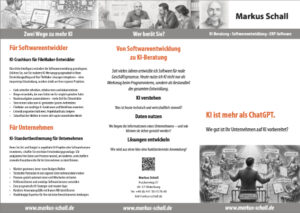
This brief brochure provides a concise summary of the two AI consulting services. Companies get an overview of the two-day AI assessment, which includes data analysis, process evaluation, and concrete recommendations for action. FileMaker developers learn how the hands-on AI crash course is structured and which steps we’ll work through together in your own development environment. The information is supplemented by a brief self-assessment that helps you better evaluate your specific needs. This allows you to compare all services, processes, and fixed prices at your leisure. Click on the thumbnail to download or print the full flyer as a PDF.
Frequently asked questions
- Who is the AI crash course for FileMaker developers intended for?
The AI Crash Course is designed for independent FileMaker developers, in-house software developers, and small development teams who want to integrate artificial intelligence into their day-to-day work in a practical way. It doesn’t matter whether you work exclusively with FileMaker or also use other technologies, interfaces, and web applications. What’s important is that you have your own hands-on development experience and bring specific projects or tasks to the course. The crash course is particularly well-suited if you don’t want to spend several weeks on general training, model comparisons, and theoretical prompt engineering, but instead want to find out as quickly as possible which AI tools can actually make your work easier. - Do I need prior experience with artificial intelligence?
No. Basic knowledge of ChatGPT or similar services is helpful, but not required. To start, we’ll work together to assess your current experience and identify where you’d like to use artificial intelligence in the future. We’ll then select a technical environment that suits your skill level and projects. The essential fundamentals will be taught directly through hands-on exercises. The goal isn’t to memorize as many technical terms as possible, but to understand how to provide AI with sufficient context, define tasks appropriately, verify results, and establish a reliable development workflow. - Will we actually be working on my own FileMaker projects during the crash course?
Yes. Practical application is an essential part of the program. Instead of using contrived examples from a training database, we examine your existing development environment and select appropriate tasks from your own projects. This could include, for example, analyzing a script, documenting an existing solution, preparing an interface, developing a new feature, or troubleshooting a more complex workflow. Before the first session, we’ll discuss which project is best suited for this. Particularly sensitive customer data can be removed beforehand or replaced with neutral test data. - What AI tools are used during the consultation?
That depends on your technical environment, your requirements, and your privacy preferences. Possible options include cloud-based development agents, traditional AI assistants, locally run language models, or combinations of these. I am not tied to any specific provider. The key factor is which tool works reliably for your tasks and can be integrated into your daily workflow with a reasonable amount of effort. In doing so, we consider not only a model’s performance but also costs, usability, data access, context management, and control options. By the end of this crash course, you should understand why a particular approach was chosen for your work. - How do the two counseling sessions work?
The crash course consists of two in-person sessions, each lasting two hours. In the first session, we’ll analyze your current workflow, select suitable AI tools, and set up the necessary development environment together. Afterward, we’ll work on your first practical tasks from one of your projects. Between the two sessions, you’ll continue working independently, gaining experience, identifying questions, and possibly encountering your first setbacks. In the second session, we’ll evaluate these results, solve specific problems, and improve your workflow. This ensures it’s not just a one-time demonstration: you’ll first have the chance to try out what you’ve learned on your own and then deepen your understanding in a targeted way. - Can AI be integrated directly into a FileMaker solution?
Generally speaking, yes. FileMaker can be connected to numerous AI services and external systems via its existing interfaces. Possible applications include, for example, analyzing and summarizing texts, classifying incoming information, extracting structured data from documents, preparing responses, or supporting internal search and knowledge processes. Whether such integration makes sense, however, depends heavily on the specific use case. During the crash course, we can explore a suitable approach and, if necessary, prepare an initial workflow. However, fully implementing a larger AI feature in four hours isn’t always realistic. - Can the AI independently further develop my entire FileMaker solution?
No—at least not reliably and without professional oversight. Modern development agents can accomplish a surprising amount when provided with sufficient context, clear rules, and verifiable tasks. They can prepare code, develop interfaces, create documentation, and analyze errors. However, a mature FileMaker solution often contains numerous dependencies, exceptions, and business rules that have evolved over time—many of which are not immediately apparent to an outsider. That is why oversight by an experienced developer remains indispensable. The goal of this crash course is not to automate your development process unsupervised, but rather to establish a sensible Division of Labor Between Developers and AI. - How is confidential project and customer data handled?
Before using an AI tool, you should always clarify what data will be processed and whether it is permissible for that data to leave an external service. Not every task requires real customer or company data. Often, source code, structures, and sample data can be prepared in such a way that confidential content is removed or anonymized. For particularly sensitive projects, local models or more isolated working environments may also be worth considering. In this crash course, we therefore examine not only technical performance but also the responsible handling of data. A blanket recommendation for cloud or local operation would be irresponsible; the decision must be tailored to the specific task at hand. - What results can I expect after four hours?
After these two sessions, you should have a set up and tested working environment as well as a clear, AI-supported development workflow. You will know which tasks are suitable for collaboration with a development agent, how to provide the necessary context, and how to monitor results. In addition, you will have completed your first practical tasks from your own projects. The specific scope depends on your starting point and the complexity of the chosen project. The crash course is not a substitute for a project development process lasting several weeks, but is intended to give you a solid foundation from which you can continue working independently. - What happens if I have more questions after the crash course?
The AI Crash Course is a standalone offering and does not commit you to any further collaboration. If you are able to continue working independently after the two sessions, the goal has been achieved. If new questions arise later, a complex development workflow needs to be set up, or a specific AI feature needs to be integrated into FileMaker, further consulting can be arranged on an hourly basis. Ad hoc support is also available, for example, to review an architecture, solve a specific problem, or optimize existing agents and workflows. Before you book, we’ll clarify whether additional consulting is actually necessary and economically viable.
AI Crash Course for FileMaker Developers: 2 × 2 hours, €790
No general AI training and no textbook examples: We work directly within your development environment and on your own FileMaker projects. Over the course of two in-person sessions, we’ll set up a practical AI workflow, test it on specific tasks, and optimize it based on your experience.
- Analyze the Work Process and identify suitable applications
- Choosing Useful AI Tools and set up the development environment
- Preparing Your Own FileMaker Projects and complete the first assignments
- Code, Documentation, and Tests improve with AI support
- Develop additional AI workflows and integrate it into FileMaker as needed
Not sure yet whether the AI crash course is a good fit for your work style and projects? In a no-obligation initial consultation, we’ll work together to clarify your goals and assess your existing development environment. For clearly defined tasks or ongoing support, we also offer personalized consulting on an hourly basis.