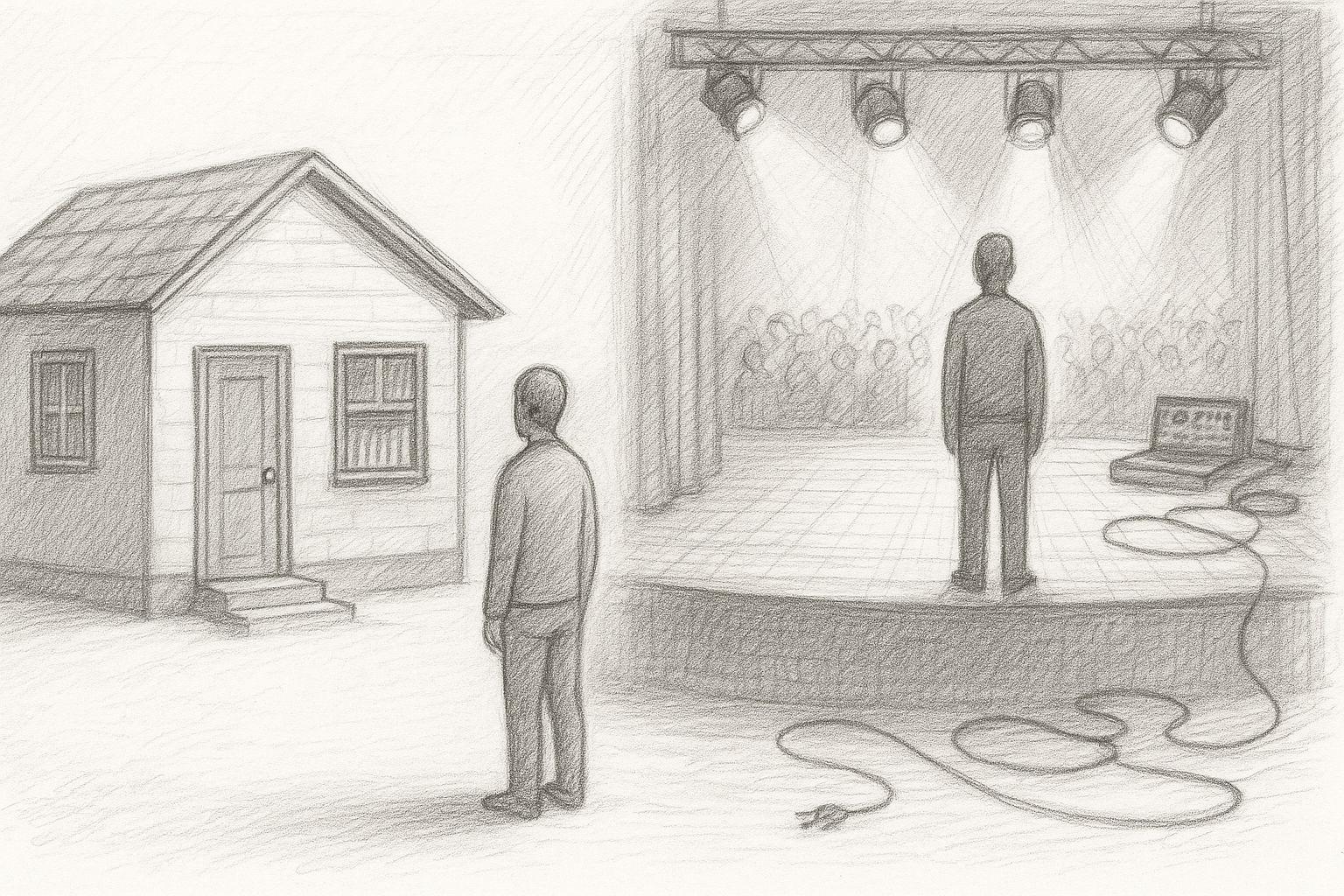
Anyone working with AI today is almost automatically pushed into the cloud: OpenAI, Microsoft, Google, any web UIs, tokens, limits, terms and conditions. This seems modern - but is essentially a return to dependency: others determine which models you can use, how often, with which filters and at what cost. I'm deliberately going the other way: I'm currently building my own little AI studio at home. With my own hardware, my own models and my own workflows.
My goal is clear: local text AI, local image AI, learning my own models (LoRA, fine-tuning) and all of this in such a way that I, as a freelancer and later also an SME customer, am not dependent on the daily whims of some cloud provider. You could say it's a return to an old attitude that used to be quite normal: „You do important things yourself“. Only this time, it's not about your own workbench, but about computing power and data sovereignty.




Latest news on local AI and hardware
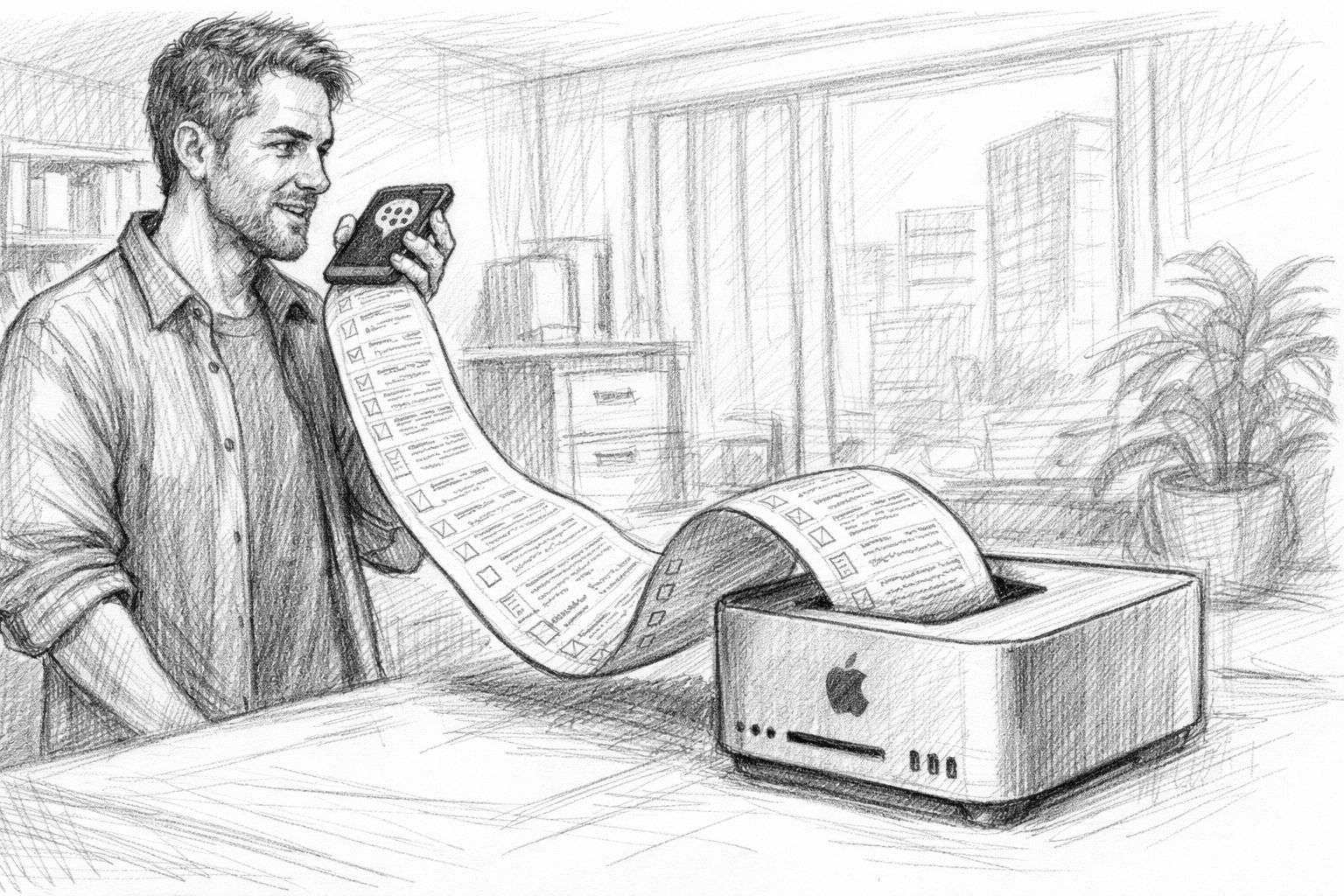
06.05.2026Apple is apparently further reducing the selection of its more powerful desktop Macs. As Heise reports, several previously available RAM configurations of the Apple Mac mini and the Apple Mac Studio are disappearing from the range or are now difficult to deliver. Models with high memory capacities, which have recently become particularly interesting for local AI applications, are particularly affected. According to reports, Mac mini variants with 32 GB and 64 GB RAM as well as Mac Studio configurations with 128 GB or 256 GB RAM will be discontinued. Apple had already previously removed the 512 GB RAM option from the Mac Studio. At the same time, delivery times for other variants are increasing significantly. Observers suspect a mixture of high demand from AI workloads, possible memory shortages and the preparation of new M5 models. Particularly in the area of local AI models, it is becoming increasingly clear how strongly hardware strategies are geared towards the increasing requirements of modern AI software.
04.05.2026Apple has canceled the cheapest entry into its desktop Mac world to date: The Mac mini model with 256 GB SSD is no longer available. In future, the configuration will only start at 512 GB of memory, increasing the entry-level price to around 949 euros. At first glance, this decision seems like a minor product adjustment, but it shows a clear strategic line: Apple is shifting the base upwards and focusing more on more powerful minimum configurations.
For users in an AI context - for example when working locally with models, embeddings or tools such as MLX - this is perfectly understandable, as 16 GB of unified memory and 256 GB of storage quickly reach their limits. At the same time, however, this removes the previously low-threshold entry point into the Mac ecosystem. The move fits into a bigger picture: increasing hardware requirements due to AI workloads and an increasing focus on more powerful systems instead of minimal entry-level prices. For users, this means more performance reserves in the long term - but higher investment costs in the short term.
11.04.2026A current episode of „Inside AI“ from Fraunhofer IEM offers a compact overview of key developments in the field of AI. AI expert Tommy Falkowski highlights new approaches to large language models, such as so-called recursive language models, as well as advances in AI video generation. Another focus will be on agent-based systems and more efficient methods for processing large amounts of data. Of particular practical relevance is the growing importance of local AI infrastructures, which are becoming increasingly powerful and opening up new application possibilities - an aspect that also plays a decisive role in the selection of suitable hardware.

AI pressure refueling: The most important AI trends, tools & models 2026 | INSIDE AI #33 | Fraunhofer IEM
In addition, current tools, models and technologies are presented that are changing both engineering and the application of AI in the long term. At the same time, it shows how dynamically the field is developing: Newer open source models and recent announcements underline the fact that key trends are currently continuing to shift in a short space of time.
Speed remains unbeatable locally
Cloud models are impressive - as long as the line is up, the servers are not overloaded and the API is not being throttled again. But anyone who works seriously with AI quickly realizes that the most honest form of speed is local. If a model runs on your own Mac Studio or your own GPU, then it's true:
- No network latency
- No waiting time until „the others“ are ready
- No hourly outages
- No „Rate limit reached“ in the middle of the workflow
I experience this every day: on my Mac Studio runs a 120B model (GPT-OSS) and a 27B Gemma model in parallel - plus FileMaker server and all my databases. Nevertheless, the system remains so responsive that I can work at a speed that is almost impossible to achieve with cloud systems. Especially when you do a lot of small operations in a row - translations, reformulations, analyses, image prompts - delays quickly add up. Local AI doesn't feel like „server operation“, but like a direct tool: you press, it happens.
Data sovereignty: when sensitive information does not belong online
One point that is often brushed aside, but is crucial for entrepreneurs: data. As soon as you use cloud AI, you inevitably ask yourself questions:
- Can I enter customer data there?
- What happens to internal documents?
- How long are logs kept?
- Who theoretically has access - today and in two years' time?
- What legal consequences would a leak have?
Of course, the big providers have data protection promises. But at the end of the day, you are handing over your content. And that's exactly what people used to want to avoid in their own company: Internal things stayed internal. In a local AI studio, the situation is different:
- The data remains in your own network.
- No request leaves the house.
- Models run without Internet access.
- Logs, training data and intermediate results are stored on your own disks.
When I run my books, articles, notes, PR texts, internal strategy papers or customer data through my AI in the future, I want to be sure that none of it ends up in someone else's training set. I can only have this trust if the infrastructure belongs to me.
Cost control instead of creeping subscriptions
Cloud AIs seem cheap at first glance: a few cents per 1,000 tokens, a monthly subscription here, a small tariff there. The problem is that the costs increase with your success. The more productive you become, the more expensive the infrastructure becomes - every month. Local AI works differently:
- You invest once in hardware.
- Then run the models as much and as often as you like.
- No „ordering finger trembles“ because every call costs money.
- You can experiment more freely without having to calculate every input.
I bought my RTX 3090 second-hand for around 750 euros - practically as good as new. I got my Mac Studio with 128 GB RAM for around 2,750 euros, in its original packaging and never opened. That's money, yes - but:
- These machines will be with me for many years.
- You create directly usable assets: books, articles, images, LoRAs, workflows.
- They do not incur any additional monthly costs other than electricity.
For a publisher, a consultant, a developer or a small company, this can be the difference between „We need to calculate whether we can afford it“ and „We'll just use AI when we need it“.
Old virtues, new benefits: Why owning your own machines is worthwhile again
In the past, it was taken for granted that a craftsman had good tools in his own workshop. A carpenter's workshop without a proper workbench and saws would have been unthinkable. Today, we have become accustomed to the opposite: instead of owning our own machines, we hire services. An in-house AI studio is basically nothing more than a modern version of the classic workshop:
- The Mac Studio is the central engine for language models.
- The RTX graphics card is the milling machine for images and training.
- A Additional computer (e.g. Mac mini) performs special tasks such as voice or small models.
- Software such as FileMaker serves as a control panel: it orchestrates, saves and documents.
I'm building a setup like this because I want to be able to do everything myself in the long term:
- Writing and translating books,
- Generate image series,
- train your own LoRA models,
- Automate workflows,
- and later also offer customer solutions that can run completely locally.
This is not nostalgia, this is a sober decision: the more deeply AI intervenes in everyday life, the more sensible it is to retain control over the technology. Local AI is not the „hobbyist alternative“ to the fancy cloud, but a conscious return to independence:
- You gain speed.
- You keep your data.
- You control your costs.
- You build an infrastructure that belongs to you.
If you think this through to the end, an AI studio at home is becoming more and more like a classic, well-equipped workshop: You don't rely on what others are doing somewhere in the background, but build your own stable base.
Current survey on local AI systems
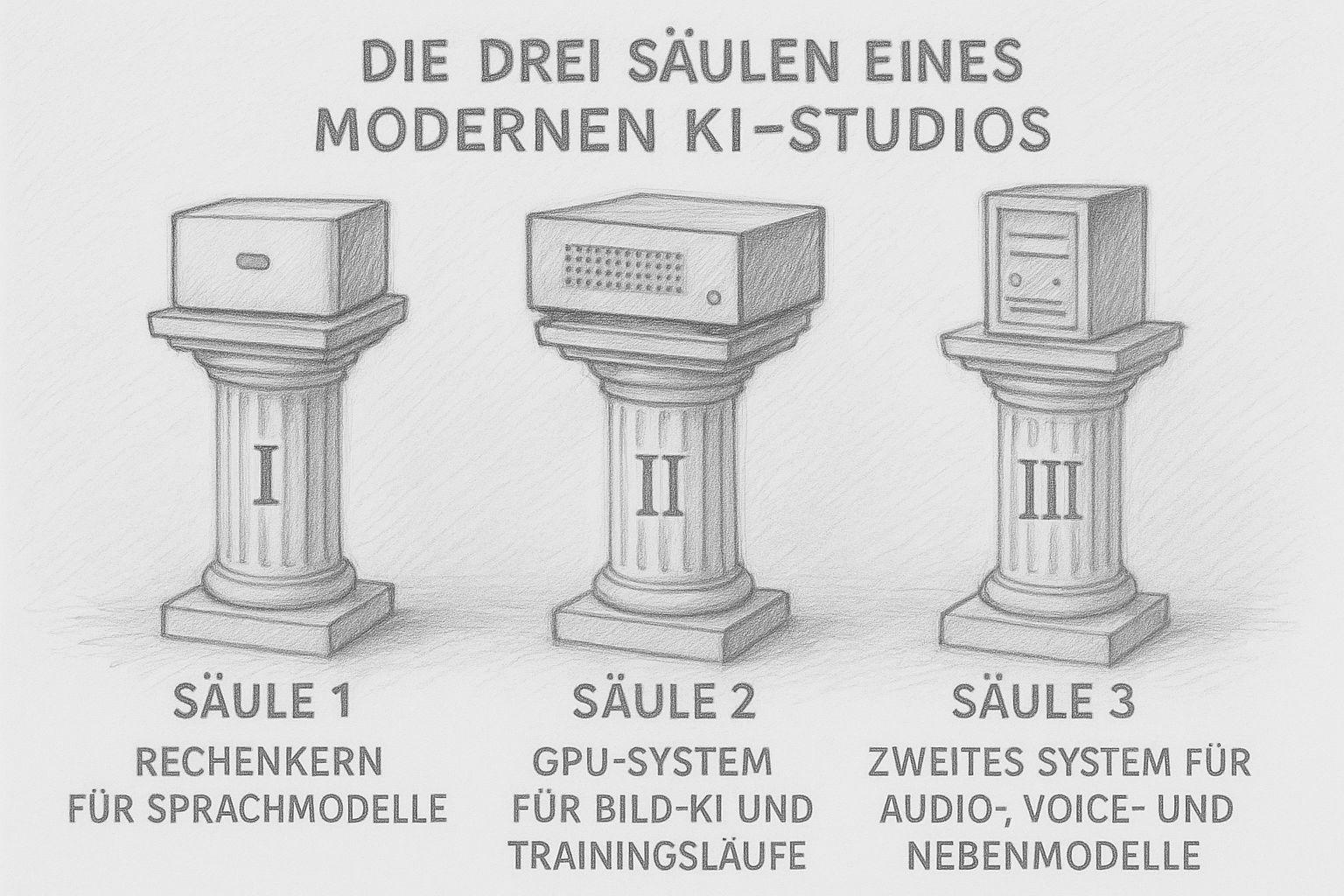
The three pillars of a modern AI studio
Today, an AI studio no longer consists of „one big computer“ that does everything. Modern workflows need different strengths: computing power for texts, lots of VRAM for images and training runs, and smaller systems that take on the side jobs. The result is not a chaotic fleet of devices, but a well thought-out small infrastructure - like a well-equipped workshop in the past, in which every machine fulfills its purpose.
I myself build my studio according to exactly this principle. And the deeper I delve into this matter, the clearer it becomes: Three pillars are enough to run a complete AI production locally.
Pillar 1: The calculation kernel for language models (LLMs)
Today, large language models no longer require a data center server, but one thing above all: a lot of very fast RAM. This is exactly what modern Apple-Silicon systems or similarly equipped Linux machines with lots of RAM can do. The computing core is the heart of the studio. This is where it runs:
- Large LLMs (20B, 30B, 70B, 120B MoE ...)
- Analysis models
- Translation models
- Internal Knowledge systems (neo4j, RAG)
- also a long-term AI-supported memory
- Control systems such as n8n
- FileMaker-Automation and server processes
In my setup, the Mac Studio M1 Ultra with 128 GB RAM takes on this role. And it does it amazingly well. I run on it:
- GPT-OSS 120B MoE (for deep thinking, long texts and analysis)
- Gemma-3 27B (for technical work like FileMaker stuff, code, precise structuring)
- FileMaker Server + databases
- plus the entire shell and web server infrastructure
The incredible thing is that even with two large models at the same time, 10-15 GB of RAM remains free. This is the advantage of an architecture that is completely designed for unified memory. To put it in a nutshell: the computing core is the brain of the AI studio. Everything that understands, generates or transforms text happens here.
Pillar 2: The GPU system for image AI and training runs
The second pillar is a GPU workstation, optimized for Stable Diffusion, ComfyUI, ControlNet and LoRA training. While text models primarily require RAM, image AI needs VRAM. And a lot of it. Why? Because image models shovel gigantic amounts of data through the memory per frame. And that's what graphics cards are built for. In my studio, this is done by an NVIDIA RTX 3090 with 24 GB VRAM - and these 24 GB are worth their weight in gold. They allow:
- SDXL with reasonable batch size
- ComfyUI workflows
- Video synthesis
- Picture series
- Material and style training
- LoRA training with 896×896 or even 1024×1024
For image AI, VRAM is more important than the very latest chip. A solid 3090 can do more today than expensive mid-range cards from 2025. The GPU column is therefore the „heavy equipment“ in the studio - the milling machine that saws away everything that means computing load. Without it, serious image production is hardly possible.
Pillar 3: A second system for audio, voice & secondary models
The third pillar may seem inconspicuous, but it is crucial: a smaller, energy-efficient system that takes on secondary jobs. These include:
- TTS (Text-to-Speech)
- STT (transcription)
- smaller models (4B, 7B, 8B, 14B)
- static Background processes
- small Agent systems
- Tools, that you want to operate separately from the main system
I use a small Mac mini M4 with 32 GB RAM. Perfectly suited for:
- Whisper-transcription
- Voice-models
- light Optimization models
- fast reacting Assistants
- Experiments and Test runs
- parallel Model container
This relieves the main system enormously. After all, it makes sense not to load large models for every small job. Just as in the past you didn't fire up the big circular saw for every cut in the workshop, but used a small machine instead. The third pillar ensures order and stability.
It separates the large models from the small tasks - and that makes the entire studio durable, flexible and fail-safe.
Intelligent distribution of workloads
An AI studio thrives on the fact that every machine does what it was built for. This results in a logical order:
- Calculation core → Thinking, writing, translating, analyzing
- GPU system → Images, training models, ComfyUI, video
- Subsystem → Audio, voice, small models, agents
When additional software is added - like FileMaker as my central control system - a real production pipeline is created. No more chaos, no more „let's see where there's still room“, but an orderly system that runs stably every day.
The three pillars are the foundation - not the freestyle
Many people believe that you only need an AI studio once you are an „AI company“. In truth, it's the other way around: a solid AI studio IS the foundation for becoming one. With these three pillars, you have everything you need to:
- Produce content (text & image)
- Teach your own models
- Automate workflows
- work independently of the cloud
- develop own solutions for customers
- operate digital „workbenches“ in the long term
For entrepreneurs, creatives, self-publishers and developers, this is now a strategic decision that ensures freedom, speed and control in the long term.
Sensible entry-level hardware for a small AI studio
If you follow the advertising today, you might think that you have to constantly buy the very latest hardware in order to be able to work locally with AI. But the opposite is often the case: it's not the latest models that are decisive, but the right combination of RAM, VRAM and stability. Many older devices - especially in the GPU sector - are now real price-performance monsters. And if you're prepared to think outside the box, you can build an AI studio that's suitable for a small company without overextending yourself financially. That's exactly what I'm doing myself right now, and it's working surprisingly well. This chapter shows you three hardware classes: Beginner, Standard and Professional. And, of course, I also explain why certain older systems are more valuable today than you might think.
1st entry-level class (1500-2500 €)
For anyone who wants to start locally - without major investment. This class is about taking your first solid steps:
- Mac mini M2 or M4 with 16-32 GB RAM
- or a PC with RTX 3060/3070 (12-16 GB VRAM)
- plus optionally a small NAS or external SSD
This is a good way to:
- Operating 7B to 14B models
- Carry out local translations
- Run Whisper
- Use smaller image models such as SD 1.5/2.1
- Try out ComfyUI in reduced form
- Test your own agents or workflows
For many creative or self-employed people, this is more than enough to become productive. The important thing is not to overcomplicate getting started. The biggest danger is not having too little power - but getting bogged down in too many technical details. You can do an incredible amount with a Mac mini M4, for example: Translations, research, structure, even smaller writing models - and with minimal power consumption.
2nd standard class (2500-4000 €)
The sweet spot for serious work with text and images. This is where what I would call a “real AI studio“ begins: a setup that can handle both large text models and solid image models. Typical combination:
- Mac Studio M1 Ultra or M2 Max with 64 GB RAM
- PC/GPU workstation with RTX 3080, 3090 or 3090 Ti
- optionally a small Additional computer for audio or voice
With this class you can:
- Drive 20-40B models reliably
- Use Stable Diffusion XL in good quality
- Perform LoRA training in the medium data set range
- Distribute parallel workloads on multiple devices
- Set up automations (e.g. via FileMaker)
And this reveals an interesting truth: older GPUs like the RTX 3090 still beat many new mid-range cards to the ground. Why? They have more VRAM (24 GB), while new cards have often been neutered. They have a wide memory interface, ideal for wide diffusion models. They have mature and stable CUDA drivers. They are often sold used for amazing prices. A 3090 for 700-900 € used can perform better than a current 4070 or 4070 Ti for 1100 € - simply because VRAM and memory connectivity are more important than a few percent raw performance.
3rd professional class (4000-8000 €)
For all those who are serious about production - and strive for complete independence. Real production power is available in this class. Typical setup:
- Mac Studio M1 / M2 / M3 Ultra with 128 GB RAM or more
- PC-GPU system with RTX 3090 or 4090
- a second computer for audio/agents
- Optional FileMaker server as automation center
This allows you to:
- Use 70B models fluidly
- Stable operation of MoE models such as GPT-OSS 120B
- Coordinate parallel AI agents
- SDXL, video AI, ComfyUI operating at full capacity
- Run LoRA trainings with 896×896 or 1024×1024
- Prepare your own databases for training
- Map complete pipelines (prompts → images → PDFs → books)
And this is where you can see the most exciting thing: the best AI hardware in 2025 is often used premium hardware from 2020-2022. Why? It was developed for high-end workloads back then. It is a fraction of the price today. The technology is mature. No beta driver problems. It has exactly the features that AI needs: lots of VRAM, wide memory buses, stable tensor cores.
Why you fail with too little VRAM - and not with too little GPU power
This is a point that many underestimate: VRAM is the decisive factor for image AI, not pure performance. Examples:
- One RTX 4060 (8 GB VRAM) is practically unusable for SDXL.
- One RTX 4070 Ti (12 GB VRAM) is only unreliably sufficient for training.
- One RTX 3090 (24 GB VRAM), on the other hand, runs smoothly for years.
In short: large models need memory - not marketing. And memory is what older high-end cards have and new mid-range cards do not.
How to modularly expand an AI studio
The biggest advantage of a three-pillar studio is its modularity:
- The GPU workstation can be upgraded independently.
- You can keep the Mac Studio for years.
- You can swap the slave computer without disturbing the system.
- You can expand the hard disks or SSDs separately.
- You can use FileMaker, Python or Bash as orchestration.
It's like a workshop: You don't rebuild everything at the same time, but only what is needed at the time.

Local AI is now REALLY usable (and it runs on this hardware) | c't 3003
Recommendations for 2025 - This hardware is really worthwhile
It's easy to lose track in the jungle of advertising and specifications. But for AI use in the home or small studio, there are hardware classes that will be particularly useful in 2025 - because they offer good value for money, are robust and are sufficient for current models. What matters today:
- Sufficient VRAM (for GPU tasks)For image AI, training runs, stable diffusion etc., a graphics card should have at least 16 GB, preferably 24 GB VRAM. Above this threshold, image AI becomes comfortable and stable.
- Good working memory and RAM capacity (for LLMs): For large LLMs, multitasking with server services and parallel processes, as much RAM as possible makes sense - ideally 64-128 GB for Apple-Silicon.
- Stable, tried-and-tested hardware instead of the latest marketing productsOlder high-end cards in particular often have excellent specifications (VRAM, memory bus, driver maturity) at a moderate price.
- Modularity and mixing instead of monoblockCombination of LLM computer, GPU workstation and secondary/agent system is more flexible and durable than a single „all-in-one“ machine.
| Class | Typical components | For whom suitable | Strengths / Compromises |
|---|---|---|---|
| Entry level (approx. 1,500-2,500 €) | Mac mini (16-32 GB RAM) or PC with GPU (e.g. RTX 3060 / 3060 Ti / 4060 Ti with ≥ 12-16 GB VRAM) | Hobby, first experiments, small models, manageable image AI | Inexpensive entry, sufficient for smaller LLMs, light stable diffusion workflows and audio/text AI. Limitations for large models, complex ComfyUI pipelines and LoRA training. |
| Standard (approx. 2,500-4,000 €) | Mid-range GPU workstation (e.g. with RTX 3080 or RTX 3090), computer with 64 GB RAM | Creatives, self-publishers, ambitious AI users, small teams | Solid performance for text & images, good price-performance ratio. Enough VRAM and RAM for versatile AI use, including SDXL and initial LoRA training. With extreme projects or many parallel workflows, the system reaches its limits at some point. |
| Professional / Studio (approx. 4.000-8.000 €) | High RAM system (e.g. Mac Studio with 128 GB RAM or powerful Linux workstation) + GPU with ≥ 24 GB VRAM (e.g. RTX 3090, 4090) + separate secondary/agent system | Self-employed, publishers, media productions, developers with multiple projects, small AI studios | Maximum flexibility, large models (70B, MoE), image and text AI in parallel, automation and long-running workflows. Very future-proof, but higher initial investment and slightly more planning effort when setting up. |
Why used and older high-end GPUs are often better than new mid-range cards today
Many newer cards are offered with limited VRAM - but this is crucial for AI. Older high-end models such as the RTX 3090 often offer 24 GB of VRAM, which is very valuable for SDXL, LoRA training or video AI today. The hardware was originally designed for performance and stability - with high-quality components, memory bus, cooling and good driver support.
This means: durability and robust performance are often available. Used cards are often significantly cheaper and therefore very affordable - ideal for freelancers or small studios with a limited budget.
My current recommendation for 2025 (and why)
If I were building a studio today and not aiming for maximum supercomputer power, I would decide:
- For image AIAt least one GPU with 24 GB VRAM - e.g. RTX 3090 or 4090.
- For text/LLM128 GB RAM in a powerful Apple-Silicon system.
- For part-time jobs (audio, voice, small models, automation): a small, separate computer (e.g. mini PC or inexpensive server).
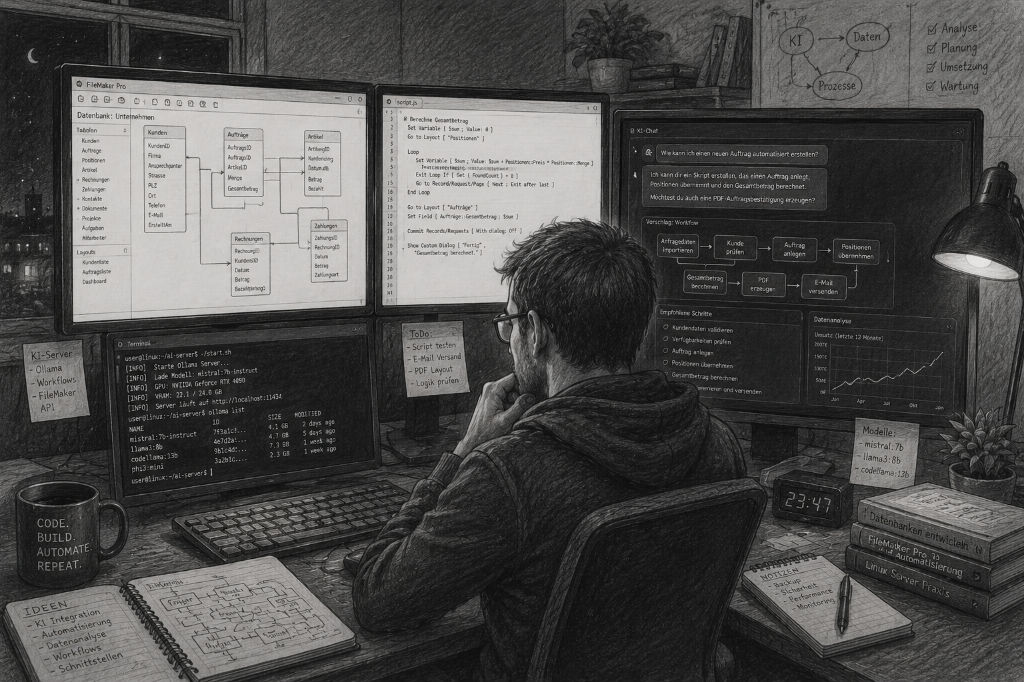
- For coordination: a software layer - for me this is FileMaker, for others it could be a simple shell or Python pipeline.
This setup is not excessive, not dependent on expensive cloud licenses - and is sufficient for almost everything that can be done with AI in the creative, publishing or development sector in 2025.
ERP intelligent: Execute local language models with FileMaker Server
 The question of the right AI hardware is justified - but it falls short if it is viewed in isolation. Powerful systems such as a Mac Studio or an RTX-based workstation only really come into their own when they are integrated into a well thought-out software structure. With the upcoming developments around Claris FileMaker Server, precisely this step will become more tangible: for the first time, local language models can be operated directly on the server and integrated into existing applications. This means that even direct LoRA training within FileMaker possible. However, this also means that the requirements for RAM, GPU and the overall system increase significantly - simple server operation without corresponding reserves will no longer be sufficient in the long term. In conjunction with a local FileMaker-based ERP solution such as gFM Business, this results in a powerful overall system in which AI does not work in isolation, but directly accesses company processes. This turns pure computing power into a genuine productive factor - structured, controllable and directly anchored in your own system.
The hardware for AI does not have to be new, but suitable
Today, the time when „AI“ was only something for large corporations or cloud labs is coming to an end. By 2025, almost anyone - with a manageable budget and a little technical understanding - can set up their own small AI studio. This makes you independent of expensive monthly subscriptions, third-party data protection conditions, queues, server bottlenecks and the uncertainty of how long cloud services will continue to exist. Instead, you get:
- Full control about your data and your workflows,
- stable, fast and Scalable performance,
- one Sustainable investment, that lasts for years,
- and the Freedom, to be creative when and how you want - without external limitations.
So, if you're thinking of using AI for your books, texts, images or projects, it's more worthwhile than ever to set up your own studio. You don't have to be a hardware engineer. You don't need a huge budget. You don't need the latest hardware.
Above all, you need a clear idea of the goal you are working towards - and the will to retain control over your own processes.
I will show you how to set up a local LLM with Ollama on a Mac installier in this article.
Here you will find a comparison of Apple MLX on Silicon vs. NVIDIA.
How to work with Qdrant a local memory for your local AI can be found here.

Frequently asked questions
- Why is it even worth having your own AI studio when there are so many cloud providers?
Having your own AI studio makes you more independent, more stable and cheaper in the long term. Cloud services are convenient, but they cost money every month, create dependency and are often limited by usage restrictions. Local AI is fast, permanently available and can be used without variable costs. In addition, all data remains in-house - a huge advantage for the self-employed, companies, publishers or creative professions. - What minimum hardware do I need to start with AI locally?
To get started, a Mac mini with 16-32 GB RAM or a PC with a GPU with at least 12 GB VRAM is sufficient. This allows you to run small language models, light image models and initial automations. If you just want to try it out, you don't have to invest several thousand euros. - Do I really need a Mac Studio or is it cheaper?
It's definitely cheaper. A Mac Studio is worthwhile if you want to run large language models (20-120B), work a lot in parallel or have long-term production processes. For your first steps, a Mac mini or a solid Windows PC is perfectly adequate. A studio is an investment in convenience and the future - but not a must. - Why is VRAM more important for image AI than a modern graphics card generation?
Because image models such as Stable Diffusion shovel huge amounts of data through the memory. If the VRAM is not sufficient, the process stops or becomes extremely slow. An older card like the RTX 3090 with 24 GB VRAM often beats new mid-range models with only 8-12 GB VRAM - simply because it offers more space for large models and training runs. - Can I run an AI studio completely with Apple hardware without NVIDIA?
For language models yes. For image AI, no. Apple-Silicon is extremely efficient for LLMs, but for stable diffusion, LoRA training and many image models, NVIDIA cards (due to CUDA/Tensor cores) are still the reference. Therefore, many studios use a hybrid of Apple/LLM and Linux+NVIDIA for images. - Is an RTX 4080 or 4070 Ti also sufficient for image AI?
Theoretically yes - in practice it depends on the intended use. For simple images or small workflows, that's enough. But for SDXL, complex ComfyUI pipelines or LoRA training, the 12-16 GB VRAM limit quickly reaches its limits. An RTX 3090 or 4090 therefore makes more sense in the long term. - Why are language models not run on the GPU, but on the RAM?
Language models are memory-oriented. They need to hold large amounts of text and context in RAM, not necessarily perform graphical operations. GPUs are built for image processing, not text analysis. This is why LLM systems benefit enormously from a lot of RAM, but less from VRAM. - How much RAM should an LLM computer have?
For smaller models, 32-64 GB is sufficient. For medium-sized models (20-30B), 64-128 GB is ideal. For large models such as 70B or MoE models such as GPT-OSS 120B, 128-192 GB RAM is ideal. The more RAM, the more stable and faster everything runs. - Is it possible to run an AI studio completely without Linux?
Yes - but with limitations. macOS is perfect for LLMs, but for image AI it lacks some tools that only exist on Linux/NVIDIA. Windows works well for image AI, but is less stable and more difficult to automate. The pragmatic mix is therefore often: macOS → LLM, Linux → image AI, small computer → audio/scripts - How loud is an AI studio like this in operation?
Less than you might think. A Mac Studio is practically silent. A Linux PC depends on the cooling - high-quality GPUs are quiet under low load, but can become audible during training runs. If you prefer silent builds, you can use water-cooled GPU workstations. - What role does the Mac mini play as the third component?
It serves as a secondary station for transcription, TTS, small AI models, background processes, automation and secondary jobs for translations. This keeps the two large machines free and ensures stable workflows. A third computer is not absolutely necessary, but it creates order and reliability. - Can I gradually expand my AI studio?
Absolutely. In fact, that's the ideal case. Buying an LLM system, then adding a GPU workstation and later a small secondary computer - this is a very natural setup that can be stretched over months or years. AI studios grow just like traditional workshops. - Which operating systems are best suited for an AI studio?
- macOS → optimal for LLM and Apple-Silicon models
- Linux (Ubuntu, Debian) → best choice for image AI, ComfyUI, Stable Diffusion
- Windows → works well for SD/ComfyUI, but less ideal for automation processes
Many studios today use combined setups - each system does what it is best suited for. - How much power does an AI studio consume?
A Mac Studio is amazingly efficient and is usually between 50-100 W. A GPU workstation with RTX 3090 can draw 250-350 W, depending on the load. A Mac mini is around 10-30 W. All in all, much less than you might expect - and often cheaper than cloud subscriptions. - Is it difficult to set up an AI studio yourself?
Not really. You need some technical understanding, but not a degree in computer science. Many tools today have web interfaces, installation scripts and automatic configurations. And if you clearly separate the systems (LLM / GPU / side jobs), everything remains clear. - Can I really cover complete publication processes with it?
Yes - and that's exactly what an AI studio is perfect for. From book ideas to texts, cover designs, image series, corrections, translations and the final print or e-book file, many things can be automated and produced in-house. This is an enormous freedom for self-publishers. - How future-proof is an AI studio today?
Very. LLMs are becoming more efficient, image models more modular, hardware more durable - and local AI is becoming more important in the market again because cloud laws, data protection and costs are making the cloud less attractive. Anyone investing in a small AI studio today is building an infrastructure that will become more important rather than obsolete in 2026-2030. - Can the AI models be trained or expanded later?
Yes, a GPU system (e.g. RTX 3090 or 4090) can be used for LoRA training, style training, material training and process training. This means that you can train your own „AI visual language“ or „AI text direction“ over time. This is the biggest strategic advantage of an AI studio: you become independent of generic models and create your own style.