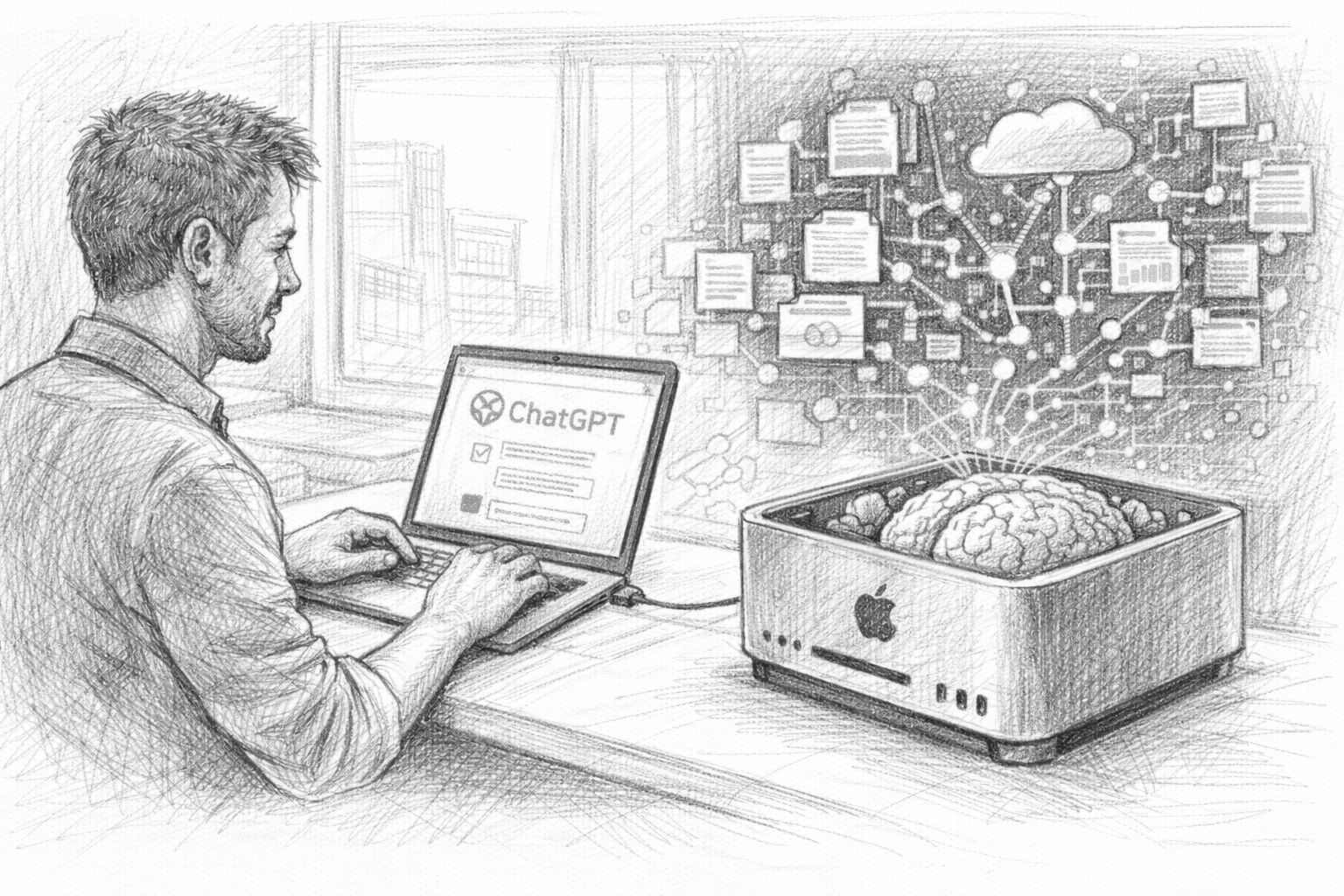
In the first part of this article series, we saw that the ChatGPT data export is much more than just a technical function. Your exported data contains a collection of thoughts, ideas, analyses and conversations that have accumulated over a long period of time. But as long as this data is only stored as an archive on your hard disk, it remains just that: an archive. The crucial step is to make this information usable again. This is exactly where the development of a personal knowledge AI begins.
The idea is actually surprisingly simple: an AI should not only work with general knowledge, but also be able to access your own data. It should search through previous conversations, find suitable content and incorporate this into new answers. This turns an ordinary AI into a kind of digital memory. This is the second part of the article series, which now looks at the practical aspects.



Part 1 of the series: The underestimated treasure in ChatGPT data export
While we get into the practical side of things in this second part, it is worth taking a look at the first article of this series. It deals with the fundamental question of why ChatGPT data export is so interesting in the first place - and why many users still underestimate its potential. The article shows which data is actually contained in the export, how it can be used to create a personal knowledge archive and why this step forms the basis for your own AI with memory. If you want to understand why we are building this pipeline in the first place and what strategic value your own chat histories have, you should start with Part 1.
Before we start with the actual implementation in the next chapter, let's first take a look at how such a system is basically structured.
The basic idea of a RAG system
The technical basis of our system is a concept that is now widely used in the AI world: RAG, or Retrieval Augmented Generation. Behind this term lies a very practical principle.
Normally, a language model answers questions using only the knowledge that was learned during its training. Although this knowledge is extensive, it has two decisive limitations:
- Firstly, the model does not know any individual information about your own projects or thoughts.
- Secondly, it cannot access new data created after training.
This is exactly where a RAG system comes in. Instead of generating an answer directly, something else happens first: the system searches a database for content that matches the question posed. This content is then transferred to the language model as context. Only then does the AI formulate its answer. In simple terms, the process looks like this:
- You ask a question →
- the system searches a knowledge database →
- relevant content is found →
- This content is transferred to the AI as context →
- the AI generates an answer.
The decisive advantage is obvious: the AI can use information that was not part of its original training.
And this is where your ChatGPT data comes into play. If we integrate these conversations into a knowledge database, the AI can access them later. It can find previous ideas, use arguments from old dialogs or take analyses from past conversations into account. The system therefore begins to „remember“ your own thoughts.
The building blocks of our system
For this to work, we need several components that work together. Fortunately, the technical infrastructure for this is much easier to access today than it was a few years ago. At its core, our system consists of four central components.
- The first building block is the ChatGPT data export. Here is our raw data. This contains all the conversations we have previously had with the AI.
- The second building block is a Embedding model. This model translates text into mathematical vectors. This makes it possible to compare texts according to their meaning.
- The third building block is a Vector database. In our case, we use Qdrant. This database stores the mathematical representations of the texts and enables a fast semantic search.
- The fourth building block is a local language model, which runs via Ollama. This model will later formulate the actual answers.
These four components work closely together.
- The data export provides the content.
- The embedding model makes them machine-readable.
- The vector database saves and searches them.
- The language model finally generates comprehensible answers.
Together, they form the basis for a personal knowledge AI.
The data flow at a glance
For the system to work, the data has to go through several steps. The first step is the ChatGPT data export, which we already created in the first article. The conversations it contains are first extracted from the JSON files. These texts must then be prepared. Large chat histories are broken down into smaller sections, so-called text chunks. This makes the subsequent search much more efficient.
In the next step, we create embeddings from these text sections. Each text is described mathematically. Texts with a similar meaning are given similar vectors. We then save these vectors in our vector database Qdrant.
This means that the most important part of the infrastructure is already in place. When a question is asked later, the following happens:
- The question is also converted into a vector.
- The database searches for texts with a similar meaning.
- These text passages are transferred to the language model as context.
- The model uses this information to formulate an answer.
This process ensures that the AI not only uses general knowledge, but can also access your own data.
What will be possible in the end
Once the system has been set up, dealing with AI changes noticeably. You are no longer just working with a general language model, but with an AI that can access your own data. This opens up completely new possibilities. For example, you can ask questions such as:
„Have I ever spoken to the AI about this topic?“
„What ideas did I have about this project before?“
„What arguments have I developed in previous conversations?“
The AI then searches through your own conversations and finds suitable content. Instead of just giving a general answer, it can refer to previous thoughts, summarize old analyses or recognize connections between different conversations.
In other words, the AI starts to work with your own knowledge archive. This turns a simple chat tool into a system that can support your thinking in the long term. And it is precisely this system that we will build up step by step in the next few chapters. In the next section, we start with the practical work and first take a closer look at the ChatGPT data export. Because before we can build a knowledge database, we need to understand how our data is actually structured.
Current survey on the use of local AI systems
Preparation: Understanding ChatGPT data export
In the first article in this series, we have already created the ChatGPT data export and downloaded it as a ZIP file. At first glance, this file may seem somewhat unspectacular - an archive with some technical files that initially looks more like a backup than a valuable data set. However, this archive contains the basis for our entire knowledge system.
Before we can start loading this data into a database or connecting it to an AI, we first need to understand how the export is structured. Because only if we know what information is contained and how it is structured can we process it in a meaningful way later on. In this chapter, we will therefore look at how the data export is structured, which files are really relevant and how we can turn this technical archive into a useful basis for our AI knowledge system.
Extract ZIP file
The first step is trivial, but nevertheless important: we need to unpack the downloaded archive. The file is normally available as a classic ZIP file. Depending on the extent of your previous use, it may vary in size. Some users receive an archive of a few hundred megabytes, others several gigabytes.
After you have unpacked the file, a folder with several files and subfolders is created. The exact structure may differ slightly, but typically you will find a number of JSON files and possibly other files with additional information.
For many users, this structure initially appears somewhat technical. But if you take a moment, you quickly recognize a pattern: the data is organized relatively cleanly and follows a clear structure. This is good news, because it is precisely this structure that makes it possible to process the content automatically later on.
Structure of the chat data
The most important part of the export is the actual chat data. These conversations are usually stored in one or more JSON files. JSON is a widely used data format that is often used to store structured information.
Such a file does not simply contain a long text. Instead, a dialog is divided into individual elements. Typically, a dialog consists of several messages. Each message contains information such as:
- the actual text of the message
- the role of the sender (user or AI)
- a time stamp
- partly further metadata
This allows the entire course of the conversation to be reconstructed. For example, a dialog begins with a question from the user. This is followed by an answer from the AI. Further questions and answers can then follow. Each of these messages is saved individually.
This has one major advantage: we can later recognize exactly who said what and how a conversation developed. This is particularly important for our knowledge system, as we want to search and analyze this content later on.
What data we really need
Although the export contains a lot of information, we do not need all of it for our knowledge system. The most important component is the texts of the conversations. These texts contain the actual content: Ideas, analyses, questions and answers. It is precisely this content that we want to search through later.
Some metadata can also be useful. This includes, for example
- Timestamp
- Conversation title
- Possibly internal identification numbers
This information helps us to better sort content later on or to classify a conversation in terms of time. Other components of the export are less relevant for our project. This includes, for example, certain technical metadata that is only of interest for the internal functioning of the platform.
To build our knowledge base, we therefore deliberately focus on the essentials: the texts of the conversations and some basic contextual information. The more clearly we structure this data, the better our AI can work with it later.
First review of the data
Before we start working with automated scripts, it is worth taking a quick look at the data itself. To do this, open one of the JSON files with a simple text editor or a program that can display JSON files well. Many code editors such as Visual Studio Code are very suitable for this, but simple text editors also work.
When you first look at the file, you will probably see a relatively large amount of structured data. JSON files consist of nested elements - i.e. data fields that in turn contain other fields. This may seem a little complex at first, but with a little patience you will quickly recognize the basic structure. For example, you will see that a conversation consists of several messages and that each message represents a separate object. The actual text is usually in a clearly recognizable field.
This first screening has an important purpose: it helps you to understand how your data is structured. Because in the next chapter, we will use precisely this structure to automatically read out the conversations and prepare them for our knowledge system. In other words: We are now transforming a technical data archive step by step into a usable knowledge base. And this is exactly where we start in the next chapter. The aim there is to extract the chat data and prepare it in such a way that it can be searched efficiently later on.
Preparing data: From conversations to analyzable texts
After unpacking the ChatGPT data export in the previous chapter and gaining an initial overview of the structure, the actual technical part of our project now begins. Although the exported data is complete, it is not yet optimally suited for our knowledge system in this form.
The reason is simple: chat histories are usually long, contain many topics and are stored in a structure that is readable for humans, but not ideal for semantic searches or vector databases. To enable our AI to find relevant content later on, we first have to process this raw data. This essentially means three things:
- Extract the conversations from the JSON files
- structure the texts sensibly
- divide the content into smaller sections
This process is a completely normal step in modern AI systems and is often referred to as preprocessing.
Why raw data is not directly suitable
If you take a look at one of the JSON files, you will notice that a single chat often consists of many messages. A typical dialog can look like this, for example:
- Question
- Answer
- Consultation
- new declaration
- further detail
- Summary
Some conversations can contain hundreds or even thousands of words. This is not a problem for humans. We simply read a dialog from top to bottom.
However, this works less well for an AI search. The reason for this is that a single chat often contains several topics. If we later perform a semantic search, the system should find text passages as precisely as possible - not entire conversations with lots of different content.
This is why large texts are broken down into smaller sections. These sections are called chunks. A chunk is simply a small block of text that contains a coherent thought. This method significantly improves the quality of the search later on.
Extract chat histories
The first practical step is to read the content from the JSON files. We use a small Python script for this. Python is particularly suitable for such tasks because it contains many libraries for data processing and AI.
First create a new file, for example:
extract_chats.py
Then we add a simple script that loads the chat data.
import json
with open("conversations.json", "r", encoding="utf-8") as f:
  data = json.load(f)
print("Anzahl der Gespräche:", len(data))
When you run this script, you should see how many conversations are contained in your export. Now let's extract the actual texts.
texts = []
for conversation in data:
  if "mapping" in conversation:
    for node in conversation["mapping"].values():
      message = node.get("message")
      if message:
        content = message.get("content")
        if content and "parts" in content:
          text = " ".join(content["parts"])
          texts.append(text)
print("Extrahierte Textabschnitte:", len(texts))
This script runs through the JSON structure and collects all text parts from the conversations. This means that we have already completed the most important part: we have extracted the content from the technical export format.
Create text chunks
Now comes the next important step: chunking. Instead of saving complete conversations, we divide the texts into smaller sections.
A typical size for such text sections is between 300 and 800 words or approximately 500 tokens. The following is a simple example of how to divide texts into chunks.
def split_text(text, chunk_size=500):
    words = text.split()
    chunks = []
    for i in range(0, len(words), chunk_size):
        chunk = " ".join(words[i:i+chunk_size])
        chunks.append(chunk)
    return chunks
Now we can apply this function to our texts.
all_chunks = []
for text in texts:
    chunks = split_text(text)
    all_chunks.extend(chunks)
print("Gesamtzahl der Chunks:", len(all_chunks))
We have now created many smaller text sections from our chat histories. These text blocks are ideal for later searching in a vector database.
Add metadata
In addition to the actual text, additional information can be very helpful. This so-called metadata helps us to better sort or filter content later on. Typical metadata could be
- Date of the conversation
- Conversation title
- Source (ChatGPT Export)
- ID of the call
We can save this information together with the text, for example like this:
documents = []
for conversation in data:
    title = conversation.get("title", "Unbekannt")
    if "mapping" in conversation:
        for node in conversation["mapping"].values():
            message = node.get("message")
            if message:
                content = message.get("content")
                if content and "parts" in content:
                    text = " ".join(content["parts"])
                    chunks = split_text(text)
                    for chunk in chunks:
                        documents.append({
                            "text": chunk,
                            "title": title
                         })
This has already given our data a much better structure. Instead of a confusing chat archive, we now have a collection of many small text sections, each of which is provided with contextual information.
It is precisely this structure that will be crucial in the next step. Because now we can start to generate embeddings from these texts - i.e. mathematical representations of the content that will later be saved in our vector database. And this is exactly what the next chapter is all about.
Create embeddings
In the previous chapter, we already put our ChatGPT data into a usable form. We extracted the conversations from the JSON files, cleaned up the texts and divided them into smaller sections - so-called chunks.
However, there is still one crucial step missing before our AI can really search for content in a meaningful way. The texts need to be translated into a form that machines can compare. This is where embeddings come into play.
Embeddings are mathematical representations of texts. They enable computers to compare the meaning of texts. Two texts with similar content receive similar vectors - even if they use different words. This is precisely the property we need for our knowledge system. After all, our AI should not only search for identical words, but also for texts with matching content.
What embeddings are
An embedding is basically a list of numbers. These numbers describe the meaning of a text in a mathematical space. Each text is converted into a so-called vector. Such a vector can look like this, for example:
[0.134, -0.876, 0.442, 0.921, -0.223, ...]
A single vector can contain several hundred or even thousands of numbers. These numbers are of course not directly understandable for humans. For machines, however, they are ideal for calculating similarities between texts. If two texts have similar content, their vectors are closer together in mathematical space. An example:
- Text A: „How can I export my ChatGPT data?“
- Text B: „How do I download my ChatGPT conversations?“
Although the wording is different, both texts basically describe the same topic. A good embedding model recognizes this similarity. The two texts therefore receive similar vectors. We will use precisely this principle later for our semantic search.
Embedding models with Ollama
We need a special model to create embeddings. Fortunately, we don't have to use external cloud services for this. Many embedding models can now be operated locally - and this is where Ollama comes into play.
Since Ollama is already running on your system, we can embed a install model there. A very good model is, for example:
nomic-embed-text
You can tame it with the following command 1TP12:
ollama pull nomic-embed-text
Other popular models are
- mxbai-embed-large
- bge-large
- all-minilm
For our purposes nomic-embed-text is a very good starting point. This model generates high-quality embeddings and runs locally without any problems.
Create embeddings locally
Now we want to extend our Python script so that it can generate embeddings. First 1TP12We create a library with which Python can communicate with Ollama.
pip install ollama
Now we can address the embedding model directly from Python. The following is a simple example:
import ollama
response = ollama.embeddings(
    model="nomic-embed-text",
    prompt="Wie exportiere ich meine ChatGPT-Daten?"
)
print(len(response["embedding"]))
If everything has worked, you will get a vector with several hundred numbers.
Now let's apply this to our chat chunks.
embeddings = []
for doc in documents:
    text = doc["text"]
    result = ollama.embeddings(
        model="nomic-embed-text",
        prompt=text
    )
    vector = result["embedding"]
    embeddings.append({
        "text": text,
        "embedding": vector,
        "title": doc["title"]
    })
We use this to create a vector for each text section. These vectors are later saved in our database.
Why this step is crucial
Embeddings are at the heart of modern knowledge systems. Without embeddings, we could only search texts using traditional keyword searches. This would mean that the system would only find content that contains exactly the same words. But language rarely works that simply. For example, a user could ask:
„How did I process my ChatGPT data?“
However, the original conversation could be formulated as:
„How can I analyze my ChatGPT data export?“
A simple search might not recognize this connection. This is different with embeddings. Since both texts have similar meanings, their vectors are close to each other in mathematical space. Our database can therefore find matching content, even if the wording is different. It is precisely this ability that makes semantic search so powerful. It allows an AI to search not just for words, but for meaning.
And this is precisely why embeddings are the central building block of our system. In the next chapter, we will build on this and installieren our vector database. This is where we will store the generated vectors - and thus create the basis for our personal knowledge AI.
Qdrant 1TP12Add and configure
Having created the embeddings for our chat data in the previous chapter, we now have a collection of text sections and associated vectors. These vectors describe the meaning of the texts mathematically and thus form the basis for a semantic search. However, this data is currently only available in the working memory of our script or in simple lists. We need a specialized memory so that our AI can access it efficiently later on.
This is exactly where a vector database comes into play. A vector database is optimized to store large amounts of such embeddings and quickly search for similar vectors. For our project, we use Qdrant, a modern open-source database developed specifically for AI applications.
In this chapter 1TP12 we will install Qdrant, start the server and prepare the database so that we can easily import our chat data later.
What Qdrant is
Qdrant is a specialized database for so-called vector searches. While traditional databases store information in tables - such as names, numbers or texts - a vector database works with mathematical representations of data.
This means that instead of just saving text, Qdrant saves the associated embeddings. The big advantage lies in the search. If a question is asked later, our system also converts this question into a vector. Qdrant can then calculate at lightning speed which stored texts are most similar to this vector. This makes it possible to find out, for example:
- which chat passages thematically match the question
- which previous conversations contain similar content
- which ideas could be relevant in your archive
This is precisely why Qdrant is used in many modern AI systems today - from document searches to complex knowledge assistants. Another advantage: Qdrant is open source, quickly 1TP12-tized and runs smoothly on a normal local machine.
Installation of Qdrant
The easiest way to installieren Qdrant is via Docker. If Docker is available on your machine, you can start the server with a single command. Here you can Download Docker, if you have not yet installed it on your computer installiert.
docker run -p 6333:6333 qdrant/qdrant
This command starts the Qdrant server and opens the standard port 6333. Our scripts can later communicate with the database via this port.
If you do not want to use Docker, there are also other ways to installiere Qdrant, for example via a local binary or via package managers. In many practical projects, however, Docker has proven to be the simplest and most stable option.
After the server has been started, Qdrant runs in the background and waits for requests. You can now test whether the server is accessible. Open the following address in your browser:
http://localhost:6333
If everything has worked, a simple status message should appear. The server is now ready for the next steps.
First steps with Qdrant
Before we can import our chat data, we need to create a so-called collection. In Qdrant, a collection is comparable to a table in a classic database. It contains our vectors and the associated data.
First we installiere the Python library for Qdrant:
pip install qdrant-client
Now we can establish a connection to the database in our Python script.
from qdrant_client import QdrantClient
client = QdrantClient("localhost", port=6333)
If this code is executed without an error message, the connection is successful. Now we create a collection for our chat data.
from qdrant_client.models import VectorParams, Distance
client.recreate_collection(
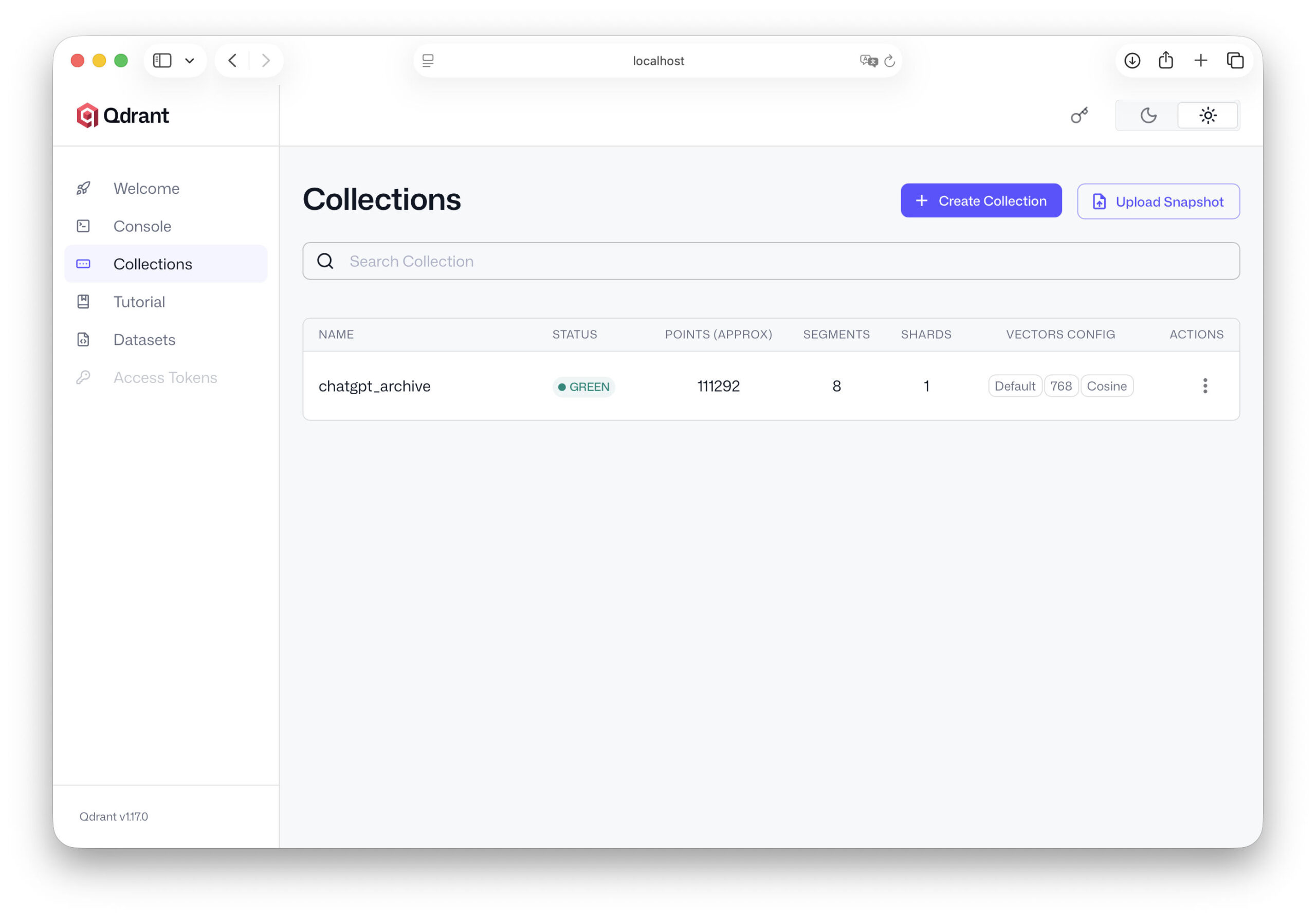
collection_name="chatgpt_archive",
vectors_config=VectorParams(size=768, distance=Distance.COSINE),
)
The most important parameters here are:
- collection_name - the name of our database
- size - the length of the embedding vectors
- distance - the method for calculating similarity
The vector size depends on the embedding model used. Many models work with vectors of 768 or 1024 dimensions. The Cosine distance function is one of the most common methods for calculating similarities between texts. This means that our database is already ready for use.
Plan data structure
Before we import our data, it is worth taking a quick look at the structure we want to save. Each entry in our vector database will consist of several components:
- ID - a unique identifier
- Embedding - the vector of the text
- Payload - Additional information about the text
The payload can contain, for example
- the original text
- the title of the conversation
- the date
- other metadata
An example of a data set could look like this:
{

"id": 1,

"vector": [0.123, -0.452, 0.889, ...],

"payload": {

"text": "Wie kann ich meinen ChatGPT-Datenexport analysieren?",

"title": "Datenanalyse"

}

}
This structure has a major advantage. The vectors are used for the semantic search, while the payload contains all the information that we want to display or analyze later. This means that our system remains flexible and can be easily expanded later.
This means that the most important part of the infrastructure is already prepared. Our Qdrant server is running, the database is set up and we know what structure our data will have. In the next chapter, we start with the crucial step: we import our ChatGPT data into the database and transform our archive of conversations into a real, searchable knowledge base.
Import ChatGPT data into Qdrant
Now that we have created Qdrant installiert and a collection in the previous chapter, the technical basis for our knowledge database has been created. Our embeddings already exist - we have created them from the ChatGPT data - and Qdrant is running as a database server on our machine.
Now comes the crucial step: we load our data into the database. We not only save the vectors themselves, but also the associated texts and metadata. This combination allows our AI to later find relevant content and use it in answers. In this chapter, we build the actual knowledge base of our system.
Save embeddings
First, we need to transfer our generated embeddings to the database. Each entry in Qdrant consists of three components:
- an ID
- a vector (embedding)
- a payload with additional data
In our case, for example, the payload contains
- the text section
- the title of the conversation
- Possibly further metadata
In Python, we can prepare this structure relatively easily. An example:
points = []
for idx, item in enumerate(embeddings):
points.append({
"id": idx,
"vector": item["embedding"],
"payload": {
"text": item["text"],
"title": item["title"]
}
})
This generates a list of data points that we can then save in Qdrant. Each data point therefore contains a text section, the associated vector and additional context information. This structure will later form the basis of our semantic search.
Create import script
Now we connect our Python script to Qdrant and transfer the data. To do this, we use the Qdrant Python client, which we have already tested in the previous chapter 1TP12. The import can look like this, for example:
from qdrant_client import QdrantClient
from qdrant_client.models import PointStruct
client = QdrantClient("localhost", port=6333)
points = []
for idx, item in enumerate(embeddings):
point = PointStruct(
id=idx,
vector=item["embedding"],
payload={
"text": item["text"],
"title": item["title"]
}
)
points.append(point)
client.upsert(
collection_name="chatgpt_archive",
points=points
)
print("Import abgeschlossen:", len(points), "Datensätze gespeichert.")
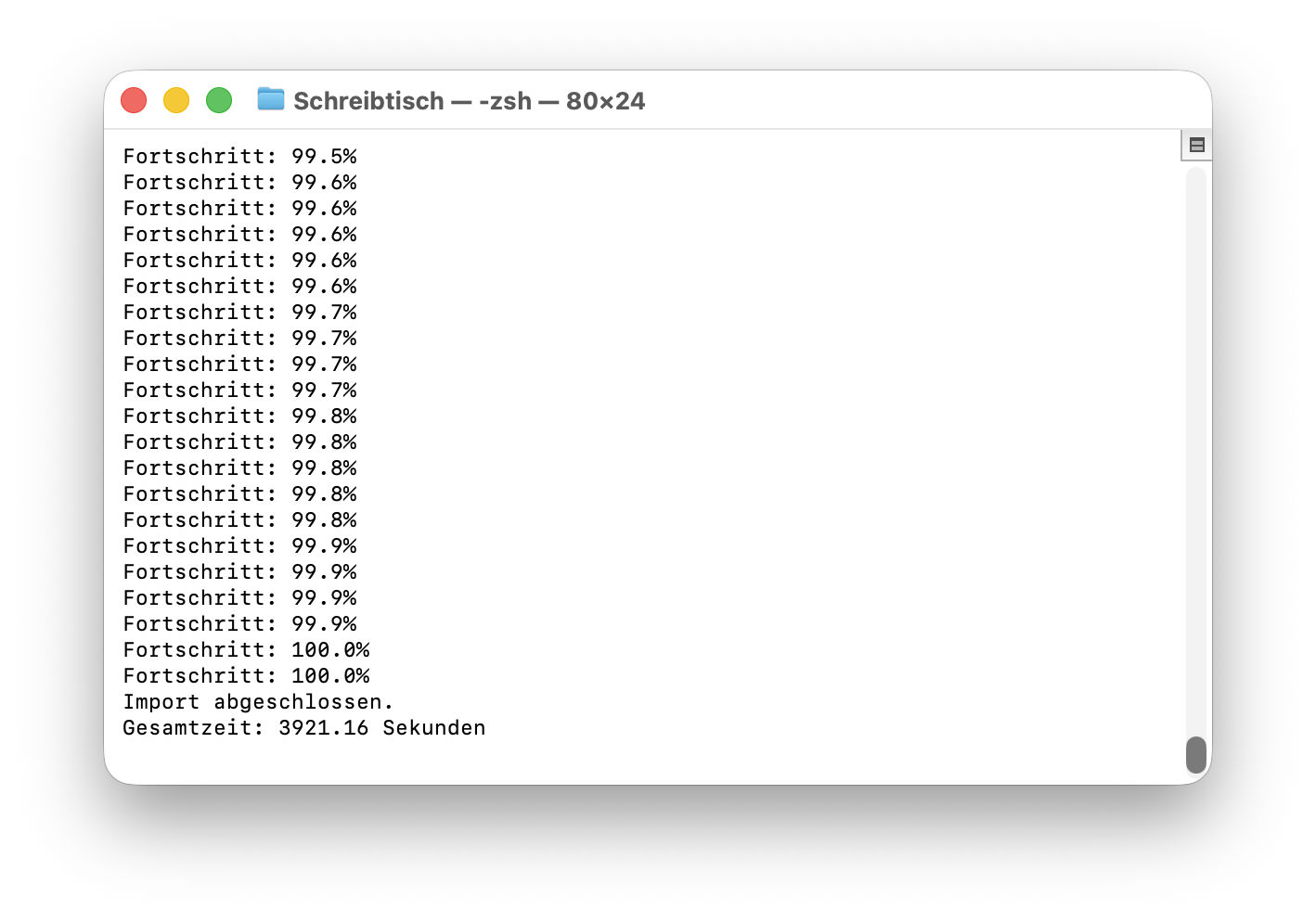
The upsert command ensures that the data is saved in the collection. If an ID already exists, the entry is updated. Otherwise, a new data record is created. Depending on the size of your ChatGPT export, this import can take a few seconds or minutes. This is completely normal for larger data sets - such as several thousand text sections.
Test database
Once the import is complete, we should check that our data has been saved correctly. The simplest test is to perform a vector search. To do this, we first create an embedding for a test question.
query = "Wie kann ich ChatGPT-Daten analysieren?"
query_vector = ollama.embeddings(
model="nomic-embed-text",
prompt=query
)["embedding"]
Now we can search Qdrant for similar vectors.
search_result = client.search(
collection_name="chatgpt_archive",
query_vector=query_vector,
limit=3
)
This command returns the three most similar text sections from our database. We can output them like this, for example:
for result in search_result:
print(result.payload["text"])
print("---")
If everything worked, chat sections from your archive that match the search query will now appear. Now we know: Our database is working.
First performance review
This moment is one of the most exciting points of the entire project. For the first time, you can see that our chat archive can actually be used as a source of knowledge. You can now try out different search queries. For example:
- „AI article“
- „RAG System“
- „ChatGPT data export“
- „Strategy idea“
Depending on the content of your chat history, Qdrant will find suitable text passages. Sometimes you will be surprised at what content resurfaces. Conversations that you have long forgotten can suddenly become relevant again. This shows very clearly why such an approach is so interesting. Your old AI conversations are no longer just an archive. They become a searchable knowledge base.
We have thus reached an important milestone. Our ChatGPT data is now fully stored in the vector database and can be searched semantically. In the next chapter, we go one step further: we connect our knowledge database with the AI itself. This will enable the language model to access this data in future and incorporate it directly into responses.
Connecting AI with the knowledge database
Up to this point, we have already built a large part of the infrastructure. Our ChatGPT data was extracted from the export, broken down into smaller text sections, embedded and finally stored in the Qdrant vector database.
However, our AI is not yet working with this data. Although we can perform a vector search using Python and find suitable text sections, the AI itself is not yet aware of this. When we ask it a question, it still only uses its general language knowledge.
The next step is therefore to connect these two worlds. We are now building a process in which the AI first receives relevant content from the knowledge database and then incorporates it into its response. This is precisely the core of a RAG system.
Inquiry process
The process of a request changes slightly thanks to our knowledge system. Until now, a conversation with an AI usually went like this:
- You ask a question →
- the AI processes the question →
- the AI generates an answer.
A knowledge database is an additional step. The new process looks like this:
- You ask a question →
- the question is converted into an embedding →
- the vector database searches for similar texts →
- These texts are transferred to the AI as context →
the AI formulates an answer. This means that the AI no longer only works with its trained knowledge, but also with your own data. This context often makes answers much more precise and personal.
Retrieval step
The first part of this process is called retrieval. Retrieval simply means „retrieving“. In this step, our system searches the database for content that matches the topic of the question. First, we create another embedding for the current question.
query = "Welche Ideen hatte ich zur Nutzung meines ChatGPT-Datenexports?"
query_vector = ollama.embeddings(
model="nomic-embed-text",
prompt=query
)["embedding"]
This embedding describes the meaning of the question in mathematical form. Qdrant can now search for similar vectors.
results = client.search(
collection_name="chatgpt_archive",
query_vector=query_vector,
limit=5
)
The database now returns the five text passages that best match the question. These text passages form the context for the AI. We collect them in a list.
context_texts = []
for r in results:
context_texts.append(r.payload["text"])
We now have a collection of relevant content from our chat archive.
Transfer context to Ollama
Now comes the decisive step. We pass this context together with the original question to our language model. The model can now use this information to formulate an answer.
First, we build a so-called prompt. A prompt is simply the text that we send to the AI.
context = "\n\n".join(context_texts)
prompt = f"""
Du bist ein KI-Assistent, der mit meinem persönlichen Wissensarchiv arbeitet.
Nutze die folgenden Textausschnitte als Kontext:
{context}
Beantworte nun diese Frage:
{query}
"""
Now we send this prompt to our language model in Ollama.
response = ollama.chat(
model="llama3",
messages=[
{"role": "user", "content": prompt}
]
)
print(response["message"]["content"])
The AI now receives both the question and the relevant text passages from our database. This enables it to generate answers based on our own data.
Response generation
The last step is the actual answer generation. The language model now combines two sources of knowledge:
his own trained knowledge
the context from our knowledge database
This combination is particularly powerful. The model can explain general relationships and at the same time incorporate specific content from our archive. An example: If you ask:
„What ideas did I have for using my ChatGPT data export?“
the AI can now access previous conversations and create a structured summary from them. For example, it could reply:
- You talked about building up a personal knowledge archive
- You wanted to develop a local AI with a RAG system
- You have developed the idea of a series of articles
Without the retrieval step, the AI would not have known this information at all. With our system, your chat archive becomes a real source of knowledge. This completes the most important part of our system. We now have:
- a local AI via Ollama
- a vector database with our chat data
- a semantic search
- a RAG workflow
In the next chapter, we will test this system in practice and see how well our personal knowledge AI actually works.
First queries with your personal knowledge AI
Now that we have established the connection between our AI and the knowledge database in the previous chapter, the system is technically complete. Our ChatGPT data is in the vector database, the AI can retrieve relevant content, and the entire process of a RAG system works.
Now comes the most exciting part of the project: the first real queries. Because only now can we see whether our system actually does what we hoped it would - namely find previous conversations, analyze content and generate meaningful answers. In this chapter, we test our knowledge AI, look at typical use cases and take a look at possible optimizations.
Example queries
Let's start with some simple questions. A good strategy is to start by asking questions that you know are in your chat archive. For example:
„What ideas did I have for using my ChatGPT data export?“
„What did I write about RAG systems?“
„What strategies have I discussed for using AI?“
These questions deliberately contain open formulations. The aim is not to find a specific text, but to discover thematically appropriate content. When you ask such a question to your system, the process that we set up in the previous chapter takes place in the background:
- The question is converted into an embedding.
- The vector database searches for similar text sections.
- These text passages are transferred to the AI as context.
- The AI generates an answer based on this context.
The result can be surprising. Conversations that you have long forgotten often pop up. Old ideas suddenly reappear on the screen - sometimes even in a completely new context.
This is precisely the strength of this approach. Your chat archive becomes a searchable source of knowledge.
Quality of the answers
If you try out a few queries, you will notice that the quality of the answers can vary. This is completely normal. The quality of such a system depends on several factors. One important factor is the size of the text chunks. If the sections are too large, they may contain several topics. This makes the search less accurate.
However, if the chunks are too small, the necessary context is sometimes missing. Another factor is the embedding model. Different models recognize contexts of meaning differently. Some are particularly suitable for technical texts, others for general language.
The number of results retrieved also plays a role. For example, if you only retrieve two text passages, important information may be missing. If, on the other hand, too many texts are loaded, the AI may have difficulty recognizing the relevant context.
These parameters can be easily adjusted later. The most important thing first of all is to have a functioning basic system.
Typical problems
As with any technical system, some difficulties can also arise here. A common problem is that the database finds texts that are only partially relevant. This is because semantic search always works with probabilities.
Another problem can arise if texts have been fragmented too much. If a thought is spread across several chunks, the AI may have difficulty recognizing the context.
The prompt also plays a role. If the prompt is unclear, the AI may not make optimal use of the context. An example of a better prompt could look like this:
Use the following text excerpts from my knowledge archive,
to answer the question as precisely as possible.
If relevant content is available, summarize it.
Such small adjustments can significantly improve the quality of the answers.
Fine tuning
As soon as the system is basically working, the most interesting part begins: the fine-tuning. Here you can experiment and improve your knowledge system step by step. Some typical optimizations are
- Adjusting the chunk size
Sometimes smaller sections of text provide better results. In other cases, more context is useful. - Use of a different embedding model
Changing the model can significantly improve the quality of the semantic search. - More context for AI
You can retrieve more results from the database, for example ten text passages instead of five. - Use metadata
If you save additional information - such as the date or call title - you can filter the search more precisely later.
These adjustments are part of every real RAG system. There is rarely a perfect setting for all situations. But this is precisely the appeal of such systems: they can be continuously improved.
With this chapter, we have conducted the first full test of our system. We have seen that our personal knowledge AI is indeed able to search through old conversations and retrieve relevant content.
This means that the core of our project has already been achieved. But the system can still be expanded considerably. In the next chapter, we will therefore look at how you can integrate additional data sources and expand your personal knowledge archive step by step.




Extensions for your personal AI knowledge system
With the previous setup, you have already created a functioning system. Your ChatGPT data has been extracted, converted into embeddings, stored in Qdrant and finally connected to a local AI. The result is a knowledge AI that can access previous conversations.
But strictly speaking, we are only at the beginning. The architecture you have built is not limited to ChatGPT data. It works with any kind of text. Anything that can be converted into documents or text files can become part of this knowledge system. This is where the real potential of such systems lies.
What we have basically built is a personal knowledge machine. And this machine can be expanded step by step. In this chapter, we look at the possibilities that arise from this and how you can expand your system in the long term.
Integrate additional data sources
The most obvious next step is to add more content to your knowledge base. ChatGPT conversations are a good start, but they usually only represent part of your knowledge. A lot of information is available in other formats. For example:
- own articles
- Notes
- PDF documents
- Research documents
- E-Books
- Protocols or lists of ideas
All this content can be processed in the same way as our chat data. The process remains identical:
- Extract text
- Split text into chunks
- Create embeddings
- Save data in Qdrant
An example: If you have written many of your own articles, you can import these texts into your knowledge database. The AI can access them later and recognize correlations. For example, you could ask:
„What articles have I written about AI?“
or
„What arguments have I developed on this topic in the past?“
The AI then searches your article archive and uses the content it finds as context. In this way, your system grows step by step into a comprehensive knowledge archive.
Several knowledge databases
As the amount of data increases, it can be useful to separate different areas. Qdrant allows you to create multiple collections. Each collection can represent its own knowledge base. A possible system could look like this, for example:
- Collection 1ChatGPT conversations
- Collection 2: Article archive
- Collection 3: personal notes
- Collection 4Technical documentation
This separation has several advantages. Firstly, the structure remains clear. You always know where certain content is stored. Secondly, queries can be controlled more specifically. Some questions should perhaps only search your article archive, others your entire knowledge system. An example:
- A research question could only search the article archive.
- A strategic question, on the other hand, could take all collections into account at the same time.
Such structures make larger knowledge systems significantly more efficient.
Automatic updates
Another useful step is to update your system regularly. In the previous example, we processed the ChatGPT data export once. In practice, however, new content is constantly being created.
New conversations, new notes, new documents - all this information could also become part of your knowledge archive.
It is therefore worth thinking about automatic updates. One simple solution is to regularly import new data. For example:
- process new chat data once a week
- Automatically import new documents
- Add new articles to the database immediately
Technically, this is relatively easy to implement. A small script can regularly check whether new files are available and process them automatically. This means that your knowledge system continues to grow. Over time, an ever more extensive archive is created that documents your thoughts and projects.
Integration into your own applications
So far, our system has been used via simple Python scripts. But in the long term, this system can also be integrated into your own applications. For example, many developers are building small web interfaces that allow them to use their knowledge AI directly.
Instead of starting a script, you can then simply write a question in an input field. The same process runs in the background:
- Create embedding
- Search database
- Transfer context to the AI
- Generate answer
The result then appears directly in the user interface. Such an application can take very different forms. For example:
- a personal research AI
- a knowledge assistant for projects
- an idea search engine
- an archive for articles and notes
It becomes particularly exciting when you combine these systems with other tools. For example, an editorial system could automatically access your knowledge archive and use previous articles as a basis for research. Or a note system could automatically integrate new ideas into your database.
In other words, the AI becomes part of your daily working environment. This makes it clear that our little project goes far beyond the original ChatGPT data export.
We have not only built up an archive. We have created an architecture that can be expanded at will. And this is precisely where the real value of such systems lies. They are not static. They grow with your knowledge.
Extended version of the pipeline for download
The following script is an extended version of the pipeline from the article. It is more robust and much closer to a productive solution. Three things have been improved:
- Progress barThe user can see at any time how many texts have already been processed.
- Batch importEmbeddings are collected and written to Qdrant in blocks, which is significantly faster than individual imports.
- Faster embedding pipelineThe script works in a structured way with prepared chunks and reduces unnecessary calls.
This script is therefore particularly suitable if the ChatGPT export is larger - several thousand conversations, for example. Typical process:
- Load ChatGPT export
- Extract texts
- Split text into chunks
- Create embeddings
- Batch import into Qdrant
- Perform test query
Important settings in the script
Some values must be adjusted by the user:
- EXPORT_PATH
Path to the mostly numbered conversations.json files from the ChatGPT export. - COLLECTION_NAME
Name of the vector database collection. - EMBED_MODEL
Embedding model of Ollama, e.g. nomic-embed-text or mxbai-embed-large - ANSWER_MODEL
Language model for the test query, e.g. llama, mistral or gpt:oss - VECTOR_SIZE
Dimension of the embedding model.
nomic-embed-text → 768
mxbai-embed-large → 1024 - CHUNK_SIZE
Size of the text sections.
Typically 300-600 words. - BATCH_SIZE
How many embeddings are written to Qdrant at the same time.
Typical value: 50-200.
Stay up to date - without advertising
If you would like to stay informed about updates to this script or new downloads, you can subscribe to my monthly newsletter. The newsletter is deliberately kept lean, completely free of advertising and only appears once a month. You will find a selection of the most important new articles, practical content on AI, software and digitalization as well as information on updated scripts or new downloads. No spam, no daily emails - just the most relevant content in compact form. If you want to follow these developments continuously, the newsletter is the easiest way to stay up to date.
Outlook for Part 3: Fine-tuning, analysis and optimal use of data
In the third part of the series, we go one step further and take a look at what you can actually get out of the knowledge database you have created. Now that the ChatGPT data is stored in Qdrant, the focus is on its actual use. We take a look at the Qdrant web interface, analyze the stored data and check how well the semantic search already works. We also look at important fine adjustments: How should chunking be selected depending on the use case? How can the context be optimally transferred to a local language model? And how can the quality of the answers be specifically improved? The third part is aimed at all those who want to get more out of the system and consciously develop it further.




Frequently asked questions
- What is the point of integrating my ChatGPT data export into my own AI?
The biggest advantage is that you make your own conversations and thoughts permanently usable. Many people have intensive conversations with AI systems about projects, ideas, analyses or personal issues. This content usually disappears in the course of the platform. However, if you export it and integrate it into your own knowledge database, it becomes a personal archive. Your local AI can then access this content, recognize correlations and help you with new questions. Instead of always starting from scratch, you build on your own thinking step by step. - Isn't that very complicated for someone who is not a developer?
At first glance, terms such as embeddings, vector databases or RAG systems appear complex. In practice, however, the individual steps are relatively clearly structured. You basically only need three components: a local AI (e.g. via Ollama), a vector database such as Qdrant and a small Python script that processes your data. Many of the steps are automatic. Once the system is set up, it works like a normal search engine or chatbot - except that it works with your own knowledge. - What data does the ChatGPT export actually contain?
The ChatGPT export usually contains all conversations that you have had with the system. This includes not only the text messages themselves, but also metadata such as conversation titles, timestamps and structural information. The data is usually available in JSON format and can therefore be processed relatively easily with scripts. In many cases, the export also includes media or language files if these were used in the conversations. However, the text content is of particular interest when building a knowledge database. - Why is a vector database used for such systems and not a normal database?
Normal databases are ideal for searching for specific terms or IDs. However, they are less suitable for semantic searches. A vector database stores texts not only as character strings, but also as mathematical vectors that describe the meaning of a text. This allows the system to search for similarity in content. For example, if you ask for „AI article ideas“, the database can also find content that contains other phrases such as „topics for blog articles on artificial intelligence“. - What are embeddings and why are they so important?
Embeddings are mathematical representations of texts. A language model converts a text into a list of numbers that describe the meaning of the text. Texts with similar meanings are close to each other in mathematical space. This allows a vector database to later search for similar content. Without embeddings, a semantic search would hardly be possible. They form the foundation of modern RAG systems and are the reason why such systems are much more flexible than classic full-text searches. - How large can my ChatGPT data export be?
The size does not really matter. Even several thousand conversations can be processed without any problems. What is more important is the number of text sections generated, the so-called chunks. A larger export leads to more chunks and therefore more embeddings. However, modern vector databases can easily manage millions of such entries. For a private knowledge assistant, even a small server or a powerful desktop is completely sufficient. - Why is the text divided into small sections before processing?
If you save complete conversations or large texts directly as embeddings, the semantic search becomes imprecise. A single text could contain several topics. By dividing it into smaller sections, the system can later search much more precisely. Each section describes a clearer topic. This allows the database to find exactly those parts of a conversation that really fit the current question. - What role does Ollama play in this system?
Ollama serves as a local platform for language models. It allows you to run AI models directly on your own computer. In our system, Ollama fulfills two tasks: It creates embeddings for texts and generates answers to questions. The advantage is that all data remains local. This means that your conversations and your knowledge archive never leave your own computer. - Why is Qdrant used as a vector database?
Qdrant is a modern vector database that has been specially developed for AI applications. It is fast, easy to use and very well documented. It can also be easily connected to Python and many AI frameworks. Qdrant is therefore a particularly practical solution for local knowledge systems. Alternatives include Chroma, Weaviate or Pinecone. - What does the term RAG system mean?
RAG stands for „Retrieval-Augmented Generation“. This is an architecture in which an AI first retrieves relevant information from a database and then uses it to generate an answer. The AI therefore combines its own knowledge with external data. This allows it to provide very precise answers and access current or personal information at the same time. - Can I also integrate other data sources into this system?
In fact, this is one of the biggest advantages of this architecture. The system is not limited to ChatGPT data. You can also integrate your own articles, notes, PDFs, research papers or other documents. As long as the content can be processed in text form, it can become part of the knowledge base. Over time, your system will grow into a comprehensive knowledge archive. - How up-to-date does such a knowledge system remain?
The up-to-dateness depends on how often you import new data. For example, you can regularly process new ChatGPT exports or create a script that automatically recognizes new documents. Many systems are set up to be updated once a week or once a month. This keeps the knowledge base up to date at all times. - What hardware do I need for such a system?
A modern desktop computer is sufficient for smaller projects. If you want to use a larger language model, a GPU can be helpful. However, many users also run their knowledge systems successfully on a powerful laptop or mini-server. Above all, it is important to have enough RAM and sufficient storage space for the database. - How fast does such a system work in practice?
The speed depends on several factors, for example the size of the database, the hardware and the language model used. In many cases, a query only takes a few seconds. The vector search itself is usually extremely fast. The largest proportion of time is often spent on generating the response from the language model. - Is it possible to separate several areas of knowledge?
Yes, vector databases such as Qdrant allow the use of multiple collections. Each collection can represent a separate subject area. For example, you could create a collection for ChatGPT conversations, one for articles and one for notes. This allows knowledge areas to be clearly structured and searched in a targeted manner. - How secure is my data in a local AI system?
The big advantage of a local system is that your data does not have to be transferred to external services. All information remains on your own computer or server. This is particularly interesting for sensitive content. Of course, you should still create regular backups and protect your system against unauthorized access. - Can I also integrate this system into my own applications?
Yes, most components can be accessed via programming interfaces. This allows you to integrate your knowledge system into your own tools, for example into a web interface, an editorial system or a note app. Many developers build small applications that make their knowledge database directly accessible via a chat interface. - How could this technology develop in the future?
Personal knowledge AIs are probably only at the beginning of their development. In the future, such systems could automatically integrate new content, create summaries or even provide their own suggestions for projects. The more data flows into such a system, the more valuable it becomes. In the long term, it could develop into a kind of personal digital memory that structures your knowledge and makes it accessible at any time.