
The FileMaker Conference 2025 in Hamburg is over - and it was a special milestone in many respects. Not only because this year's conference focused on many topics related to artificial intelligence, performance and modern workflows - but also because the personal exchange and the „family atmosphere“ of the FileMaker community once again came into its own. For me personally, it was an intensive, inspiring and all-round enriching time - right from the very first evening.
FileMaker
Articles on the topic of FileMaker - from basics and practical tips to business solutions such as gFM-Business.
Integration of MLX in FileMaker 2025: Local AI as the new standard

While MLX originally started as an experimental framework from Apple Research, a quiet but significant development has taken place in recent months: With the release of FileMaker 2025, Claris has firmly integrated MLX into the server as a native AI infrastructure for Apple Silicon. This means that anyone working with a Mac and relying on Apple Silicon can not only run MLX models locally, but also use them directly in FileMaker - with native functions, without any intermediate layers.
See you at the FileMaker conference FMK 2025 in Hamburg?

From September 15 to 17, 2025, the German-speaking FileMaker community will meet at the JUFA Hotel Hamburg HafenCity to discuss the latest developments, trends and best practices at the FileMaker Conference (FMK 2025). For over ten years, this conference has been considered the most important event for developers, users and decision-makers in the Claris FileMaker sector - and I am delighted to be there in person again this year.
Ollama meets Qdrant: A local memory for your AI on the Mac

Local AI with memory - without cloud, without subscription, without detour
In a previous articles I explained how to configure Ollama on the Mac install. If you have already completed this step, you now have a powerful local language model - such as Mistral, LLaMA3 or another compatible model that can be addressed via REST API.
However, the model only "knows" what is in the current prompt on its own. It does not remember previous conversations. What is missing is a memory.
Forum for gFM-Business ERP software and Claris FileMaker
Under the URL gfm-forum.de we have opened a new forum for gFM-Business ERP software and Claris FileMaker. The forum is aimed at users and developers of gFM-Business ERP and Claris FileMaker Pro. Visitors can expect many tips and instructions on gFM-Business and the development of FileMaker databases. Participation in the forum is free of charge. We invite all interested parties to benefit from the advantages of our forum:
The advantages of customizable ERP software

ERP software (Enterprise Resource Planning) is a type of business software that integrates various business processes such as finance, purchasing, production, warehousing, sales and human resources. Customizable ERP software offers a variety of benefits for companies that use this software.
gofilemaker.de has a new website
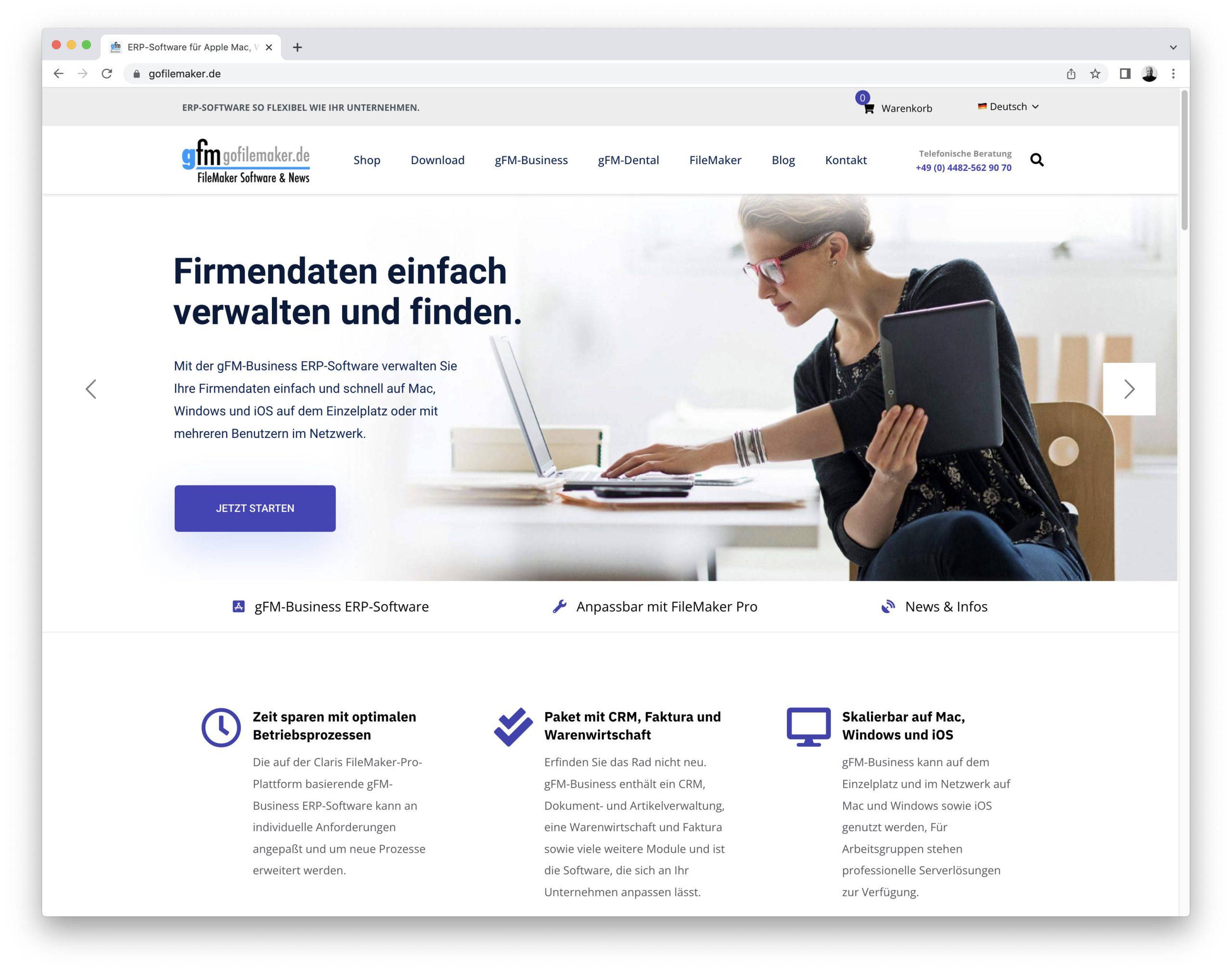
After almost six years, the gofilemaker.de website has been completely revised and redesigned. The new website should be more attractive and even more user-friendly, so that you can find the information you need about our ERP software even more easily and quickly.
gFM-Dental 1.1 contains constancy test according to DIN 6868-157.
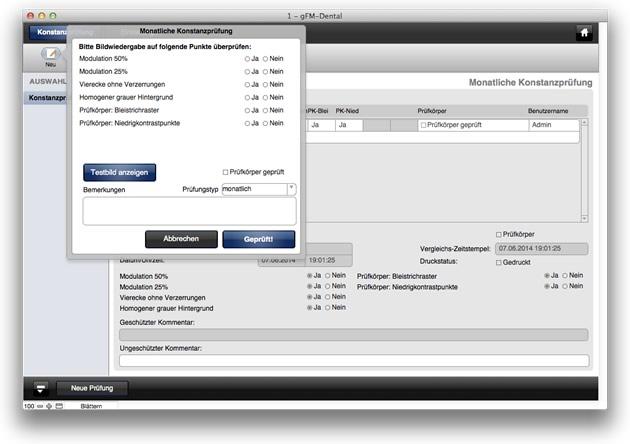
The null software for dentists available on the FileMaker specialist portal goFileMaker now includes the option of carrying out the daily constancy test of diagnostic monitors of digital X-ray devices in accordance with the new DIN 6868-157 guideline under Apple Mac OS X. gFM-Dental 1.1 contains a corresponding test image for carrying out the constancy test in accordance with the new standard. A technical article explains ... Read more